CANADIAN REALTOR TOOLKIT / Google Sheets & Google Docs · XLSX/DOCX upload
Accepted Offer to Keys Kit
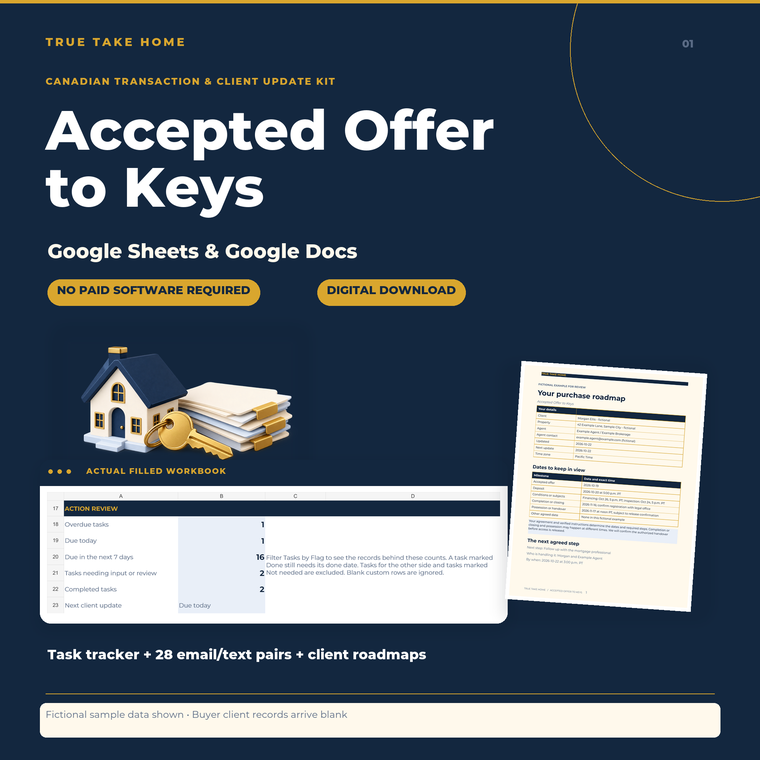
Built and tested for free Google Sheets and Google Docs. Organize an accepted offer, review the next task and keep buyers and sellers informed with editable Canadian transaction checklists, 28 emails and 28 matching short texts.
Digital download through Etsy. Prices are in CAD. See the listing for current offers, included files and order support.
At a glance
- Tested software
- Free Google Sheets & Google Docs; free Google account required
- Download
- One ZIP: one XLSX, four DOCX documents and a quick-start note
- Messages
- 28 emails + 28 matching short-text alternatives
- Scope
- English-language Canadian workflow; adapt to local requirements
- Licence
- One agent, reusable for that agent’s own transactions
- Desktop apps
- Excel and Word were not tested; parity is not guaranteed
SEE THE TOOL IN USE
Real files. Fictional example.
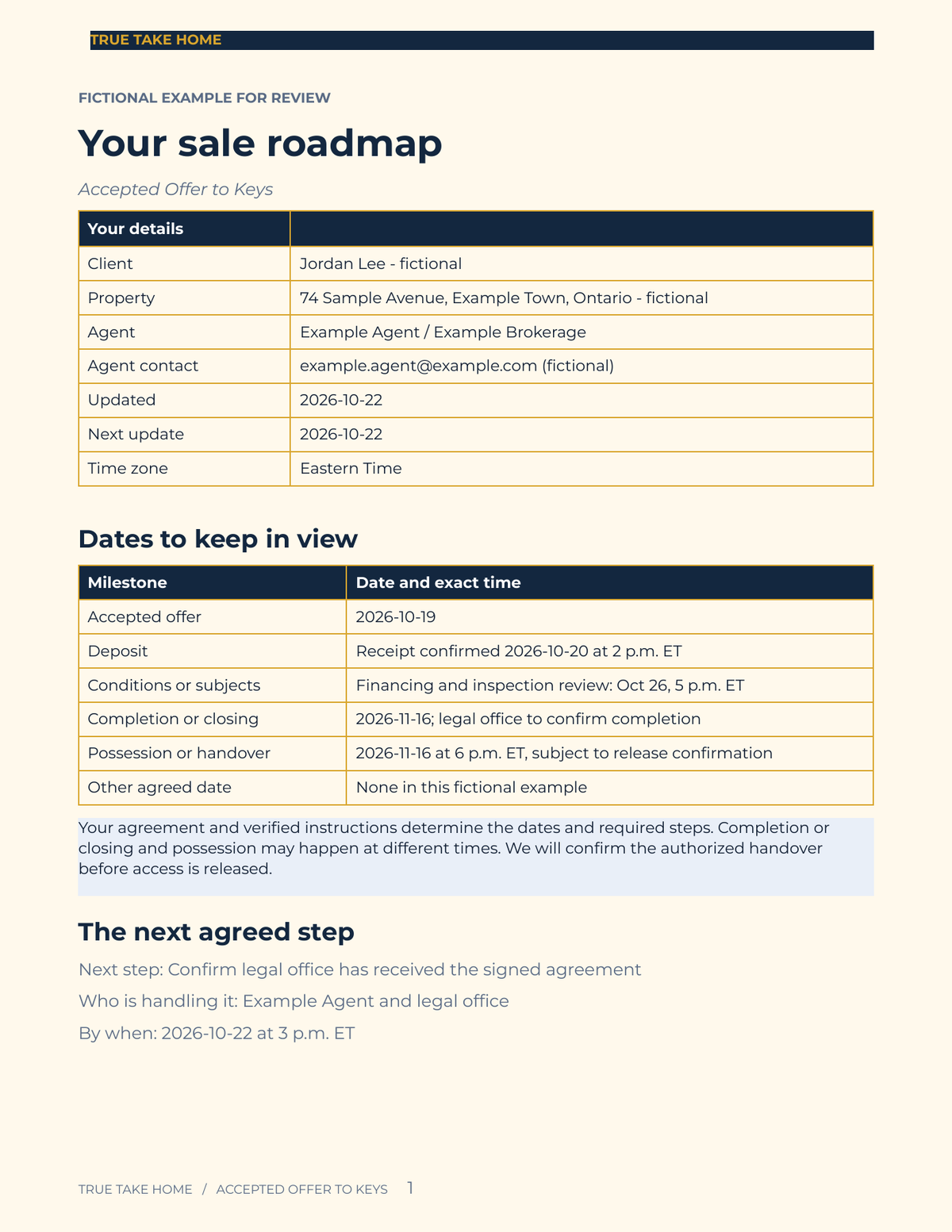
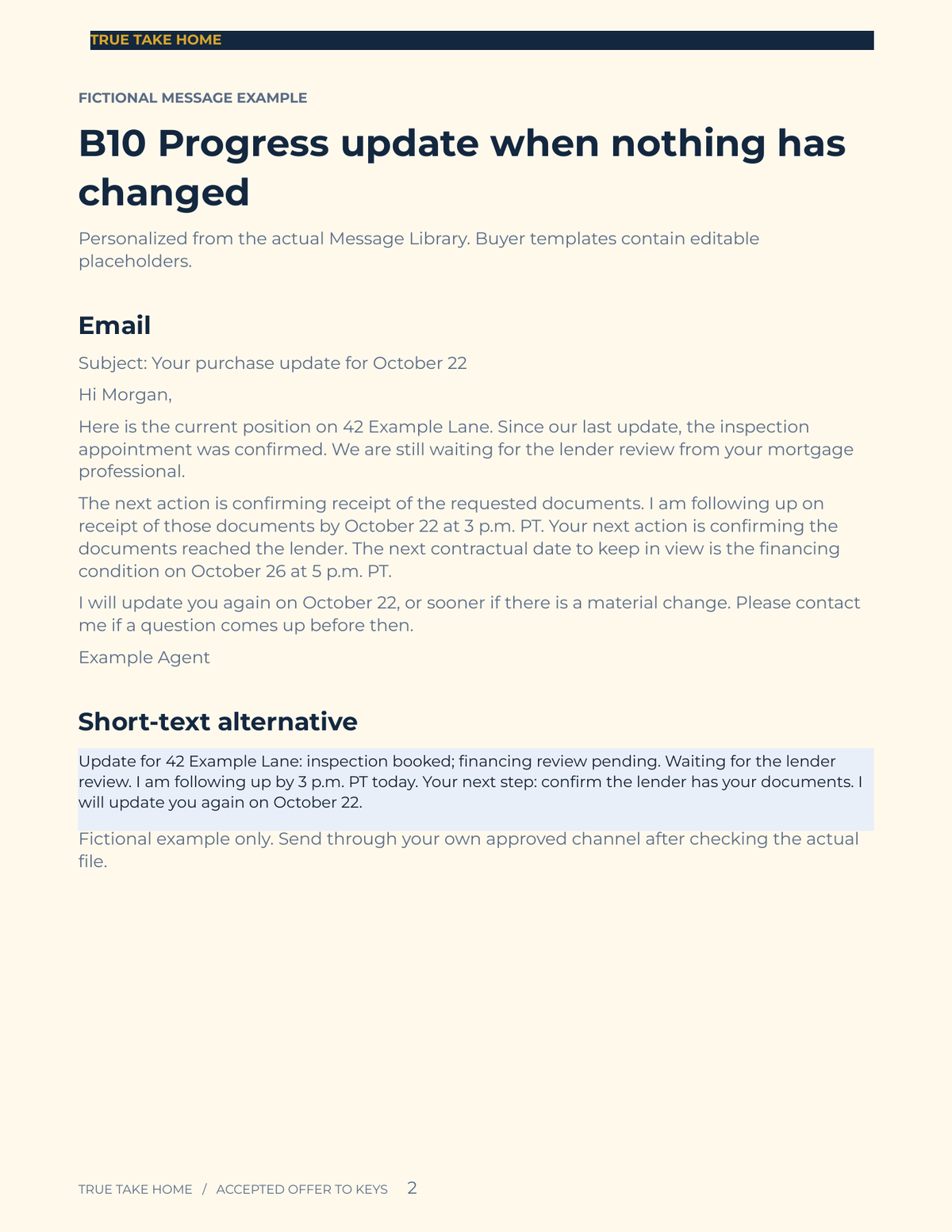
These previews show sample figures and records. Buyer files start without demo client data. Open a preview for a closer look.
01 / WHAT YOU GET
A useful tool.
A clear place to start.
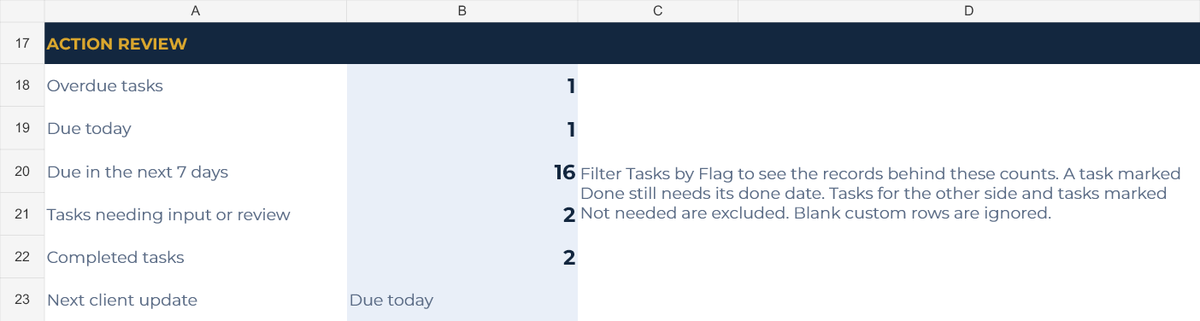
- Three-tab workbook: Deal, Tasks and Client Updates
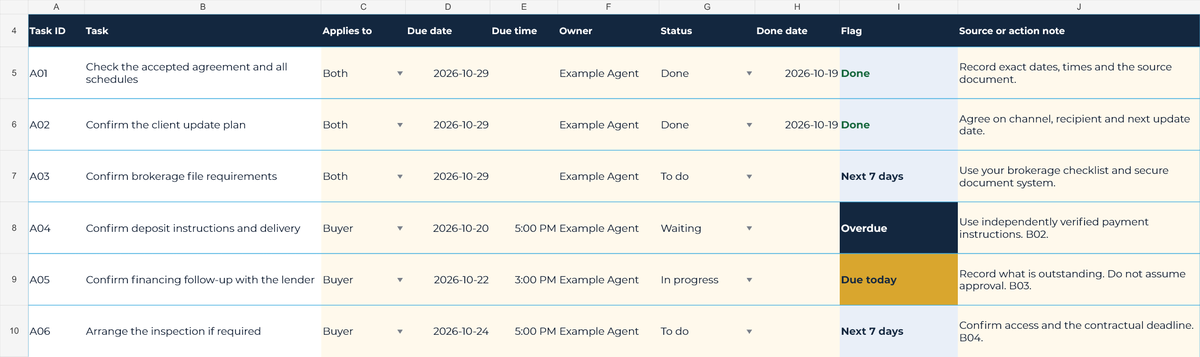
- 30 editable transaction task starters plus 30 custom task rows
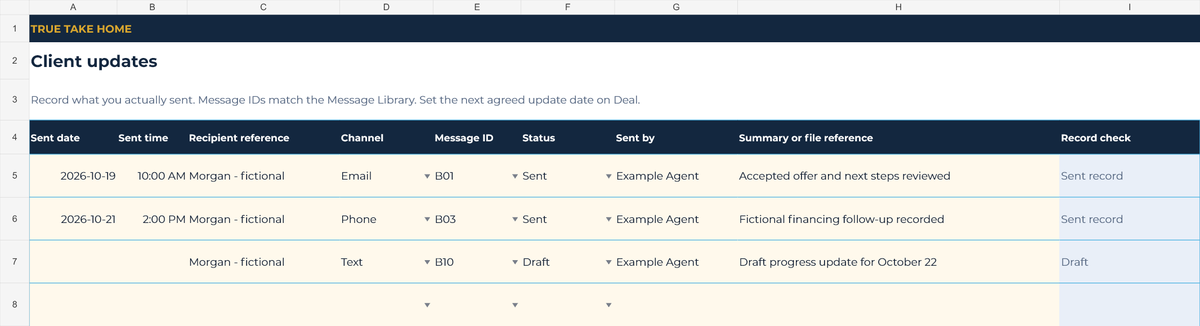
- 60 client-update record rows with message IDs and sent-record checks
- 28 email templates: 14 buyer emails and 14 seller emails, each with its own short-text alternative
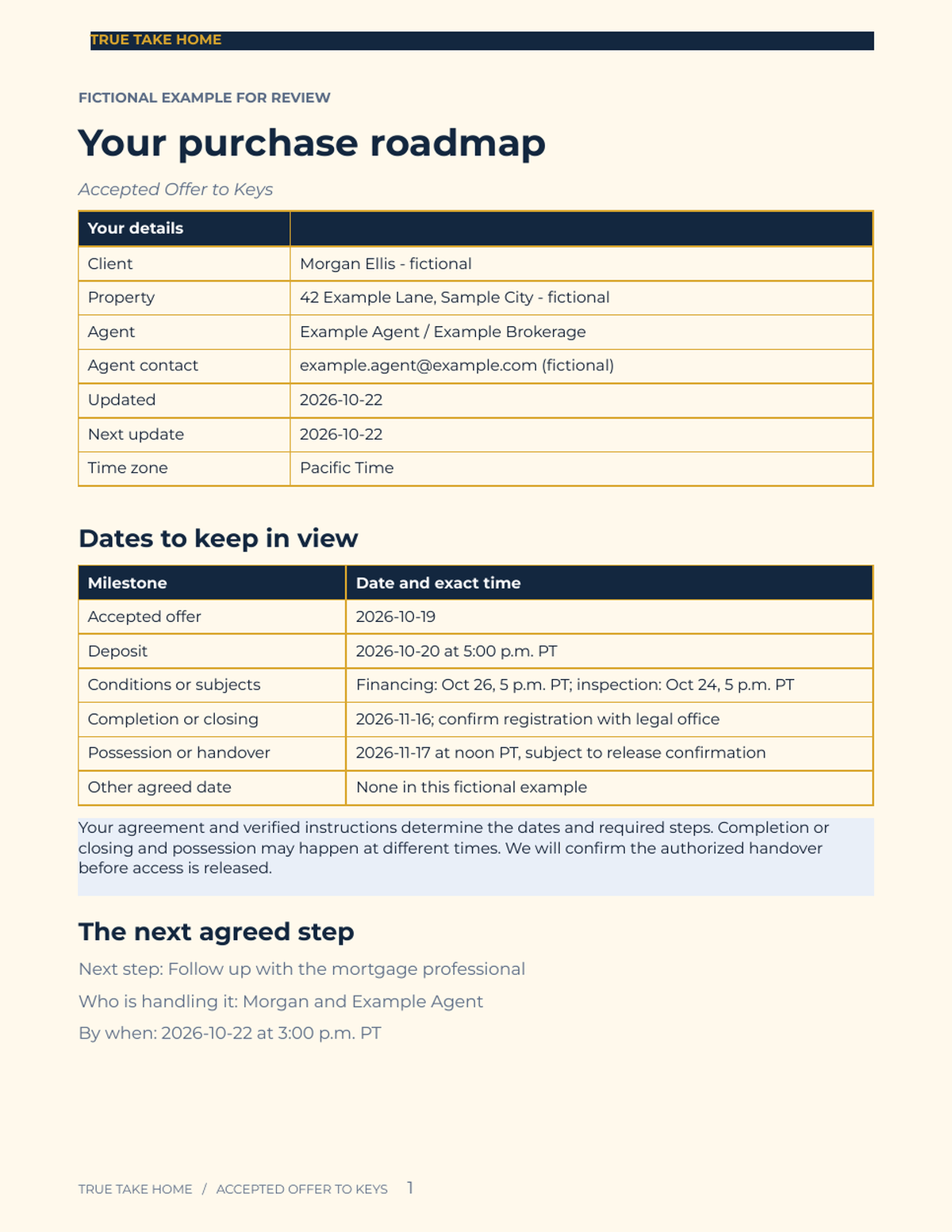
- Separate two-page Buyer Roadmap and Seller Roadmap handouts
- Agent Guide with setup, regional wording, references and a single-agent licence
02 / IN YOUR WORKING WEEK
Put it to work.
- Download the ZIP from Etsy, upload the XLSX and DOCX files to your Google Drive, then open and save them as Google Sheets and Google Docs files. Keep the originals and make a copy per transaction.
- Enter your verified agreement dates, exact times, time zone and next agreed client update. Select Buyer, Seller or Both to control task applicability. Enter task due dates separately.
- Assign owners and choose task statuses. Review overdue, due-today and next-seven-days flags; a task marked Done still needs its done date. Flags compare calendar dates, not exact times.
- Personalize the matching message and client roadmap, check the actual file, then send through your own approved channel. Record what was sent and agree on the next update. Documents do not update automatically from the workbook.
03 / BEFORE YOU BUY
Your questions, answered.
What software is this kit built and tested for?
Free Google Sheets and Google Docs. The download supplies XLSX and DOCX files for upload and conversion in your own Google account. Desktop Excel and Word were not tested; equivalent behaviour is not guaranteed. Initial setup is intended for a desktop browser; mobile workflows were not tested.
Are there really 28 emails and 28 short-text alternatives?
Yes. B01–B14 contain 14 buyer emails and S01–S14 contain 14 seller emails. Each email has its own short-text alternative: 28 emails plus 28 short texts. Every pair was checked in the document and the Google Docs PDF export.
Can I adapt this for my province or territory?
Yes. It is an adaptable Canadian workflow, with all ten provinces and three territories in the selector. Use the terms in the actual agreement, such as conditions or subjects and completion or closing, and the appropriate lawyer or notary. Local adaptation is required, including for Quebec. No French translation or claim of verified legal compliance in every jurisdiction is included.
Does it calculate legal deadlines or send messages?
No. You enter and verify dates and exact times. Task due dates are entered separately from the key-date table, and flags compare calendar days only. There are no statutory-period, holiday or tax calculations, and no automatic emails or texts. A status does not fulfil a condition, deliver notice or authorize payments or keys.
What files are included, and do they contain sample clients?
One ZIP contains one XLSX workbook, four DOCX documents and a quick-start text note. Reusable task starters and message wording are included; client records arrive blank. Names, properties and dates shown in previews are fictional demonstration data and are not included in buyer files.
Can I add my branding and use it for future transactions?
Yes, for your own client transactions under the single-agent licence. Share personalized messages and completed roadmaps with your own clients. Do not redistribute, resell or put editable masters in a shared team or brokerage library; each additional agent needs a separate licence.
Purchase, download and support details
Purchase and download through Etsy. No physical item is shipped. Check the listing for current pricing, licence and setup instructions. Contact the shop through Etsy for order support and review the listing’s digital-download policies before purchasing.
Ready to take a closer look?
See the full listing, previews and download details on Etsy.
ALSO IN THE TOOLKIT