CANADIAN REALTOR TOOLKIT / Google Sheets workbook + Google Docs quick start
Canadian Multiple-Offer Comparison + Net Proceeds
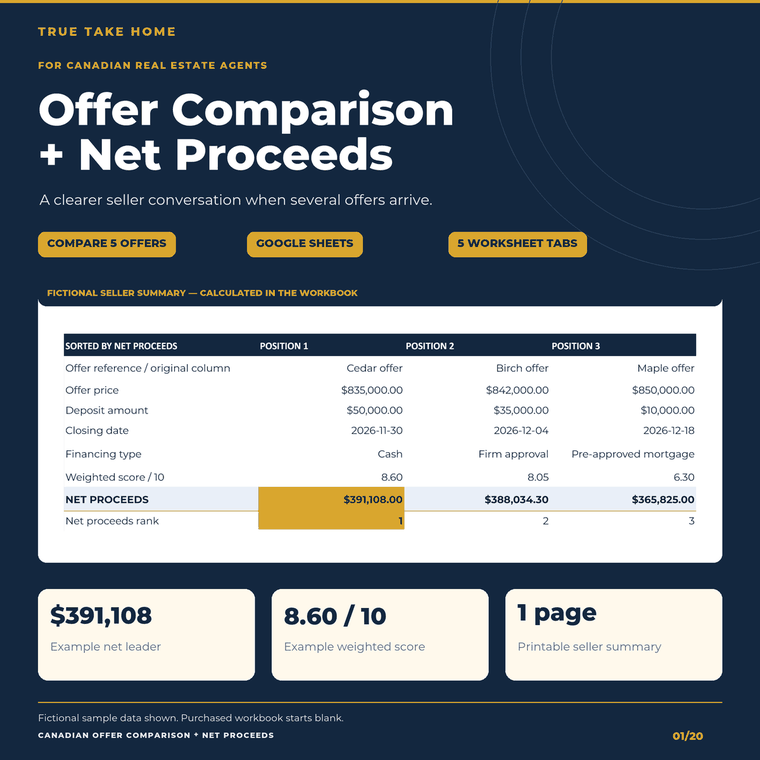
Compare estimated seller net proceeds alongside deposits, conditions or subjects, financing and dates. Five linked tabs bring up to five offers into one Google Sheets-first workflow, with editable scoring weights and a printable seller summary.
Digital download through Etsy. Prices are in CAD. See the listing for current offers, included files and order support.
At a glance
- Primary tested workflow
- Free Google Sheets and Google Docs; Google account required.
- Files supplied
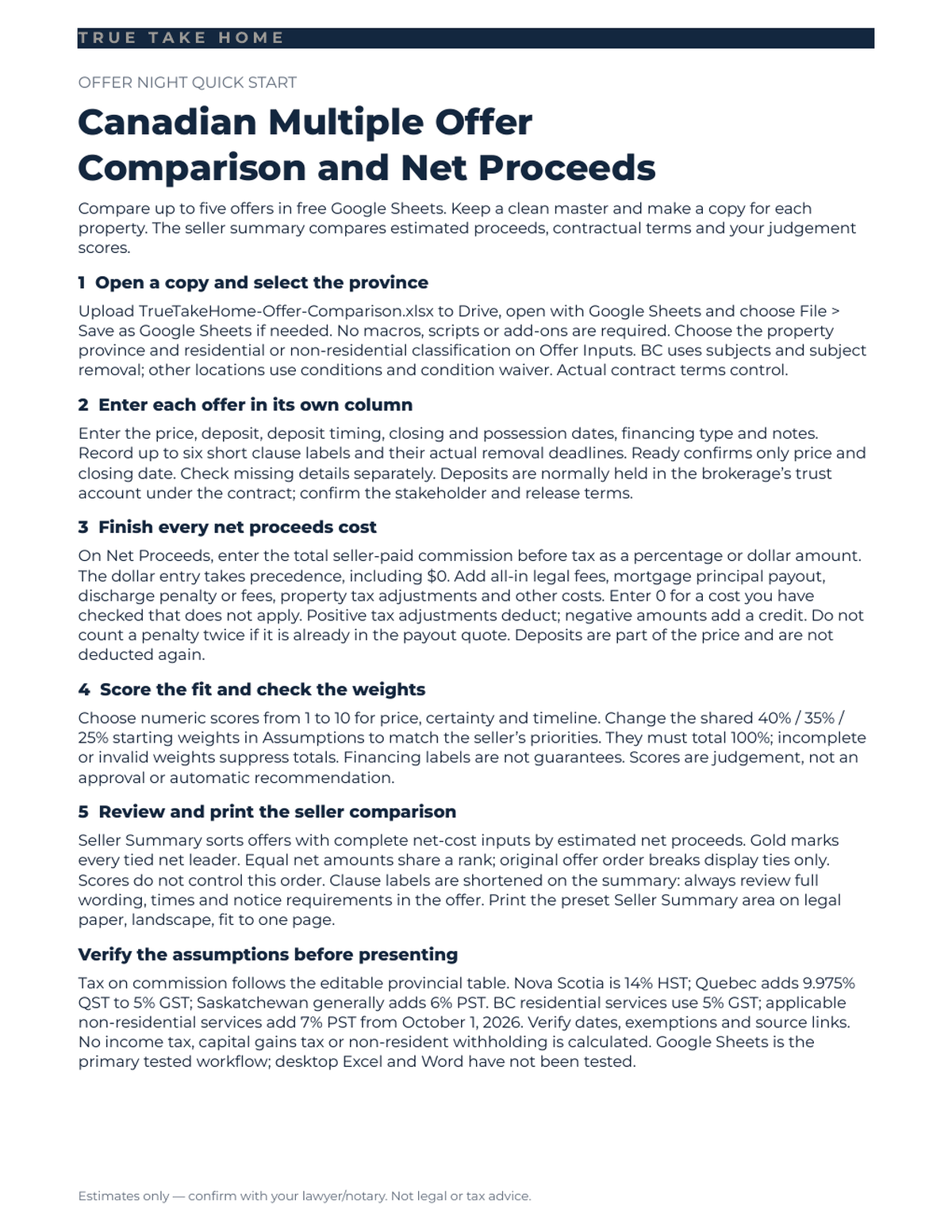
- One blank five-tab XLSX workbook and one-page DOCX guide in a single ZIP.
- Offer capacity
- Up to five live offer columns; six conditions or subjects per offer.
- Canadian coverage
- All 13 provinces/territories; BC clause labels and editable commission-tax assumptions.
- Cost calculation
- Price less commission, fee taxes, legal costs, debt payout, discharge costs, signed adjustments and other entered costs.
- Scoring
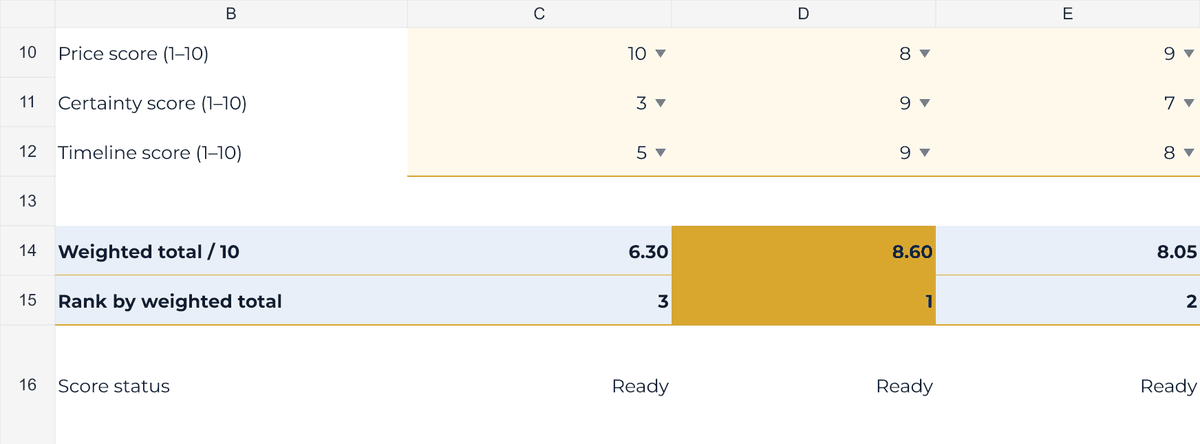
- Agent scores 1–10 for price, certainty and timeline; editable 40% / 35% / 25% starting weights.
- Seller view
- Separate net rank and weighted score; linked summary with legal landscape one-page print settings.
- Buyer data
- Blank transaction fields; editable rates and weights populated. Fictional previews are separate.
- Limits
- Desktop Excel/Word untested. No income-tax calculation, automatic notices, loan approval or offer acceptance.
SEE THE TOOL IN USE
Real files. Fictional example.
These previews show sample figures and records. Buyer files start without demo client data. Open a preview for a closer look.
Work through seller net proceeds →
Compare deposits, clauses and dates →
01 / WHAT YOU GET
A useful tool.
A clear place to start.
- One ZIP containing a blank five-tab XLSX workbook and a one-page DOCX quick-start guide. Fictional example data is excluded from the customer download.
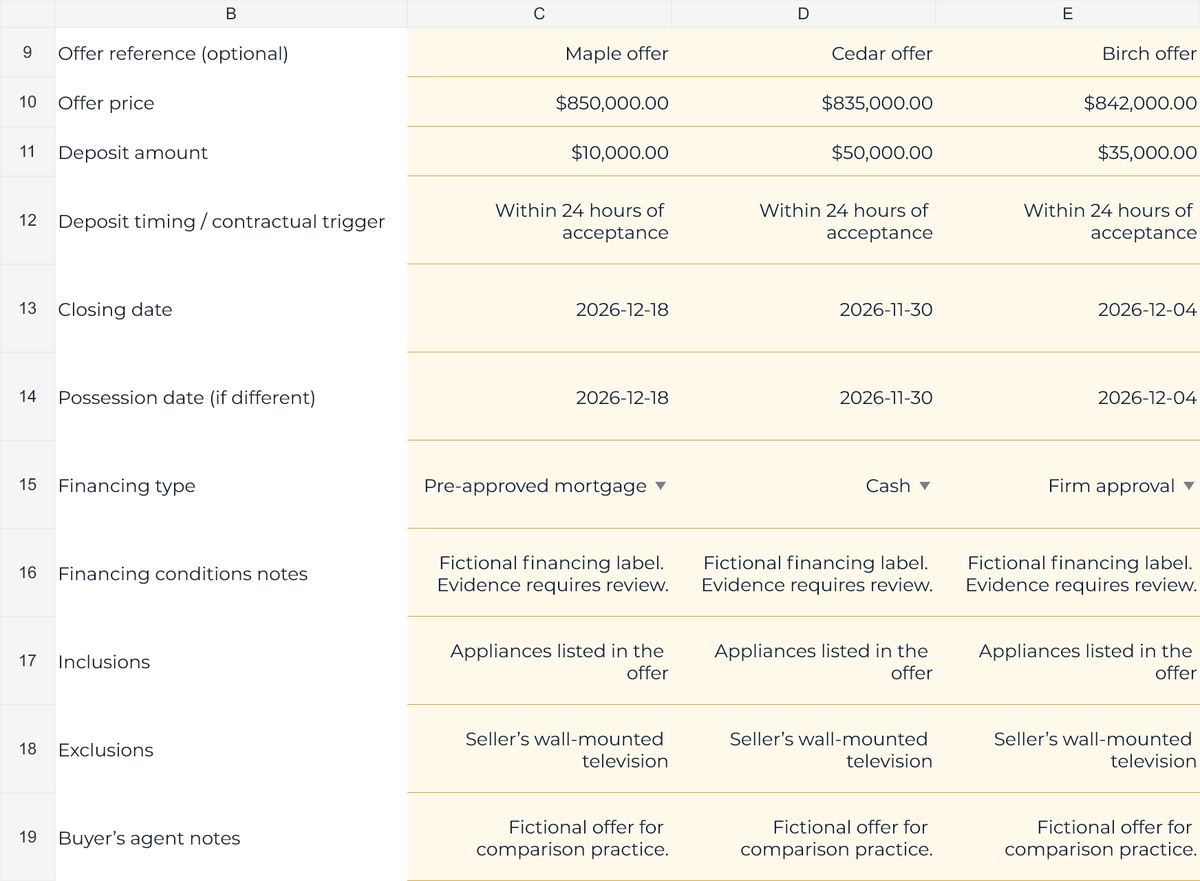
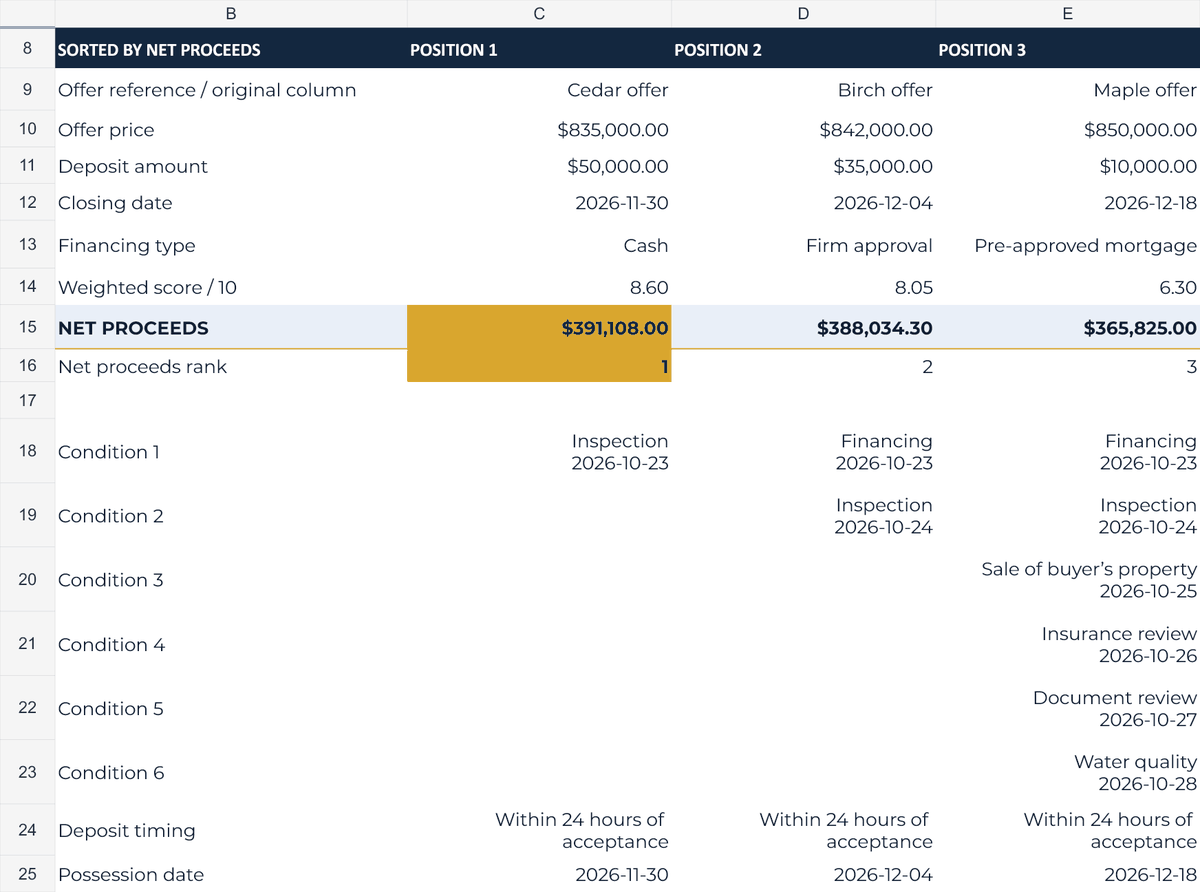
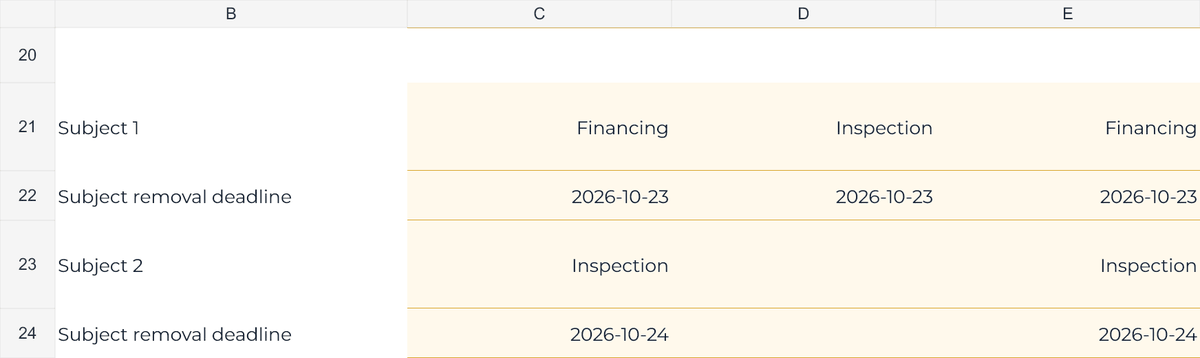
- Offer Inputs compares up to five offers side by side: price, deposit and timing, closing and possession dates, inclusions, exclusions, financing type and notes.
- Six conditions or subjects per offer, each with its own removal deadline. The province selector changes BC terminology to subjects and subject removal.
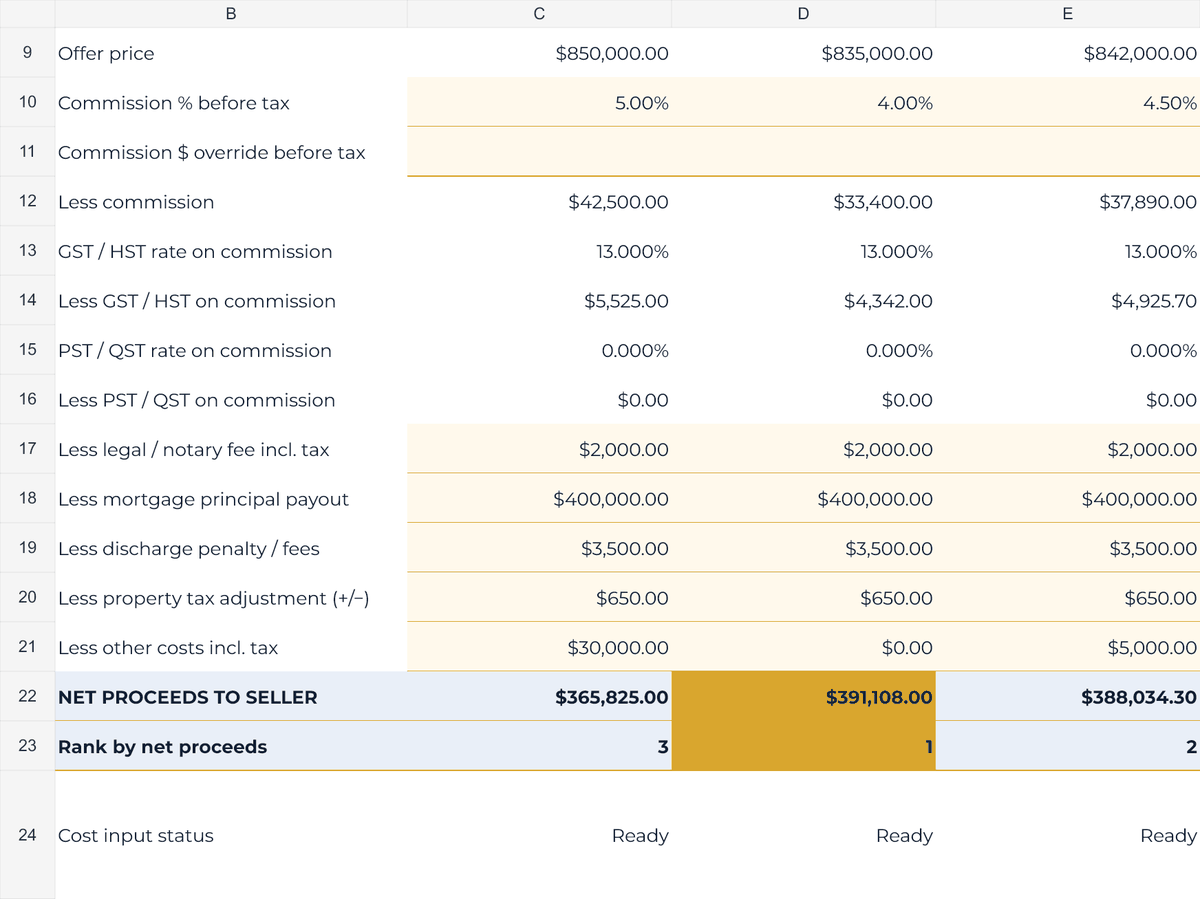
- Net Proceeds shows negotiated commission as a percentage or dollar override, commission taxes, legal costs, mortgage principal payout, discharge costs, signed tax adjustments and other costs.
- Editable commission-tax assumptions for all 13 provinces and territories, including separate PST/QST where applicable, property classification, source links and last-verified dates.
- Price, certainty and timeline scores from 1 to 10. Starting weights of 40%, 35% and 25% are editable and must total 100%; invalid weights suppress weighted totals.
- Separate net-proceeds and weighted-score rankings. Equal net amounts share rank and gold highlighting; original offer order only breaks display ties.
- Seller Summary links to completed net estimates and key terms, with legal landscape print settings checked as one page in Google Sheets. Formula steps remain visible in the workbook.
02 / IN YOUR WORKING WEEK
Put it to work.
- Download and extract the ZIP. Upload XLSX to Google Sheets and DOCX to Google Docs, saving native copies if needed. Keep a clean master and make a property copy. A Google account is required.
- Select the property province or territory and residential/non-residential classification. Verify the dated tax assumptions and enter the actual offer terms, dates, clause labels and notes.
- Enter total seller-paid commission before tax and every required seller cost, including mortgage payout. Enter 0 only after checking it applies. A dollar commission override, including $0, takes precedence.
- Agree on the scoring priorities, enter the three scores for each offer and review Seller Summary with the signed offers. Confirm actual costs and formal steps through the brokerage and lawyer/notary.
03 / BEFORE YOU BUY
Your questions, answered.
Which software was tested?
Free Google Sheets and Google Docs are the primary tested workflow. Upload the supplied XLSX and DOCX to Drive and save native copies if needed. No paid software, macros, VBA, scripts or add-ons are required. Desktop Excel and Word were not tested; identical desktop behaviour is not claimed.
What exactly is in the download?
One ZIP with TrueTakeHome-Offer-Comparison.xlsx, a blank five-tab workbook, and TrueTakeHome-Offer-Comparison-Quick-Start.docx, a one-page guide. The separately filled fictional example shown in previews is excluded.
Does the workbook start completely empty?
Offer and transaction-cost fields are blank. Editable provincial tax assumptions, starting scoring weights and residential classification are intentionally populated for review. No fictional offers, names or prices are supplied as buyer data.
Can I compare fewer than five offers?
Yes. Leave unused offer columns blank. Completed offers with price, closing date and the required net-cost inputs appear in Seller Summary. The basic Ready check only confirms price and a closing date, not legal or financial completion.
Is it only for Ontario or British Columbia?
No. All 13 provinces and territories are included. BC mode uses subjects and subject removal. Other locations use conditions and condition waiver. Confirm current local requirements, contract wording, taxes and exemptions before client use.
How are commission and tax handled?
Enter agreed total seller-paid commission before tax as a percentage or dollar amount. A dollar entry takes precedence, including $0. Province and property classification select editable commission-tax assumptions. Legal and other costs should include their own applicable taxes. No default commission rate is supplied.
Do deposits reduce the net amount again?
No. The deposit is part of the offer price. Net proceeds deduct the entered selling costs and debt payout from the full price. Deposit amount and timing remain visible as separate offer terms. Confirm trust handling and receipt under the contract.
Does a score tell the seller which offer to accept?
No. Scores are agent-entered judgements about price, certainty and timeline, using editable weights. A net leader and a weighted-score leader can differ. Neither ranking verifies financing, predicts completion or replaces the seller’s decision.
Can I print the seller summary?
Yes. Seller Summary is preset for legal paper, landscape and fit to one page, and that print preview was checked in Google Sheets. Clause labels are shortened on the summary. Review your own print preview and always refer to complete contractual wording.
Purchase, download and support details
Purchase and download through Etsy. No physical item is shipped. Check the listing for current pricing, licence and setup instructions. Contact the shop through Etsy for order support and review the listing’s digital-download policies before purchasing.
Ready to take a closer look?
See the full listing, previews and download details on Etsy.
ALSO IN THE TOOLKIT
Tools that work alongside it.
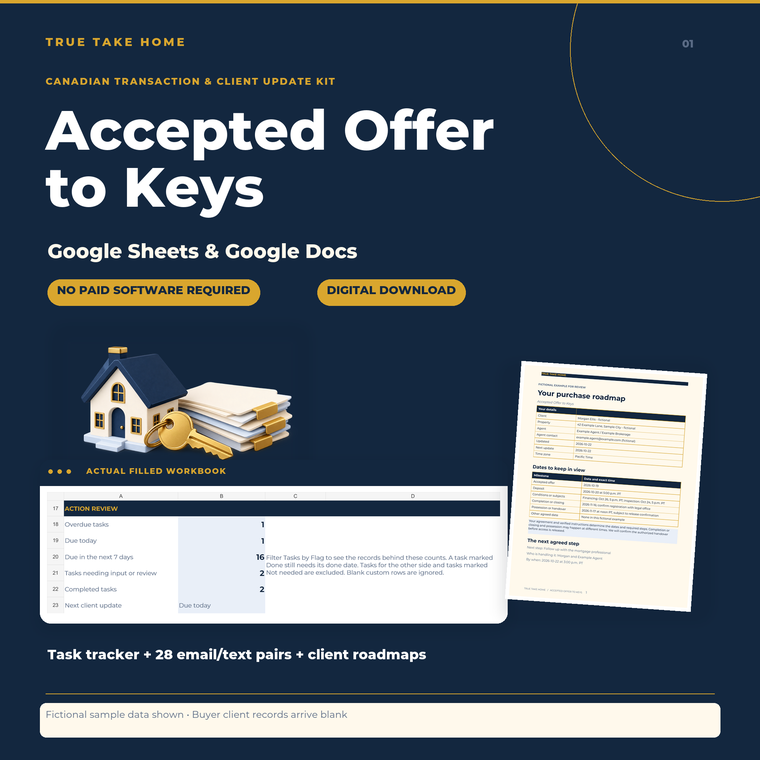
Accepted Offer to Keys Kit
Keep the transaction organized and the client informed.
Explore this tool →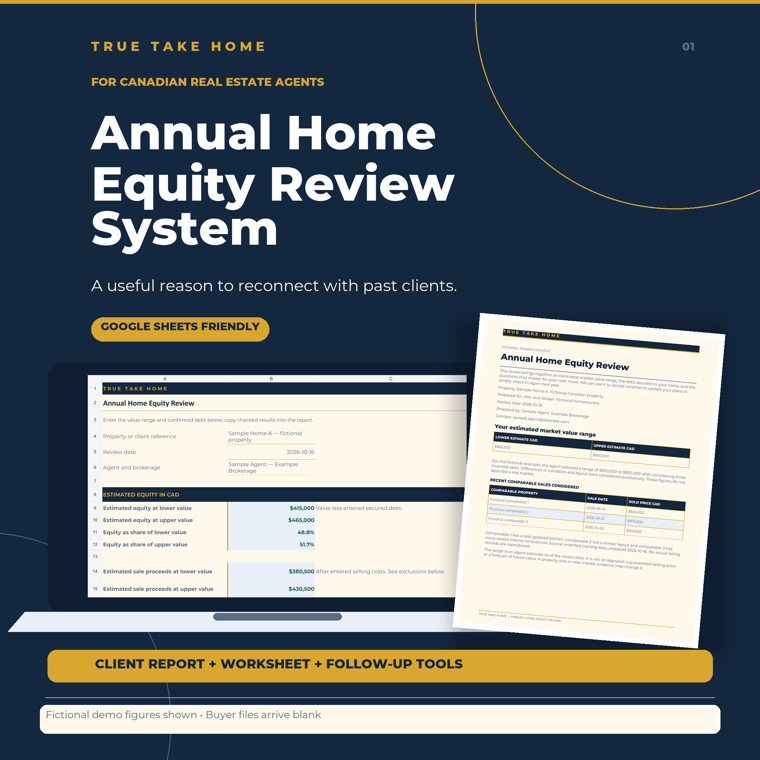
Annual Home Equity Review Kit
Give past clients a useful reason to reconnect.
Explore this tool →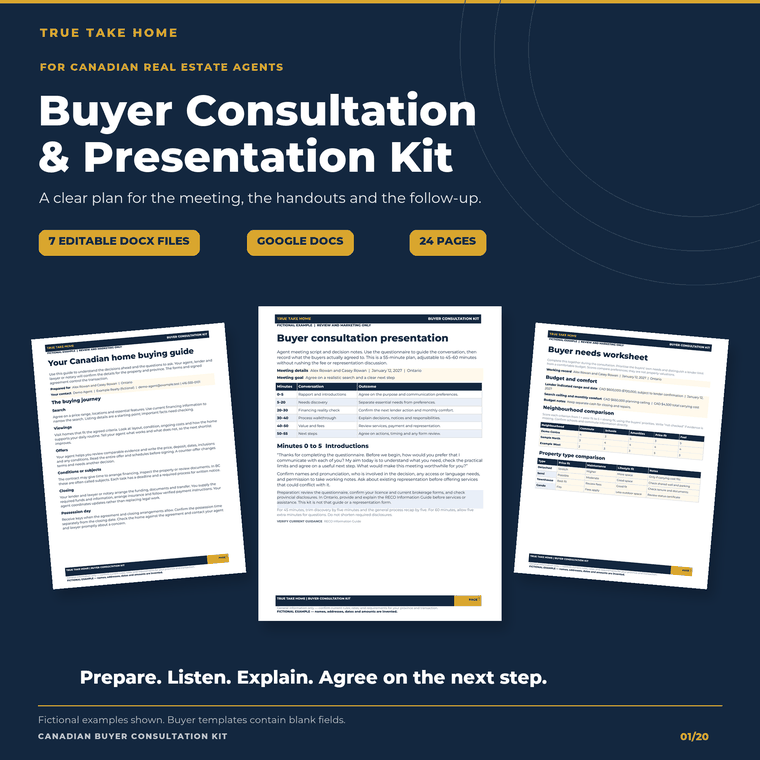
Canadian Buyer Consultation & Presentation Kit
Prepare the meeting, guide the conversation and follow up with a clear next step.
Explore this tool →