CANADIAN REALTOR TOOLKIT / Three Google Docs documents + four Google Sheets planners
Canadian Pre-Construction Buyer Kit
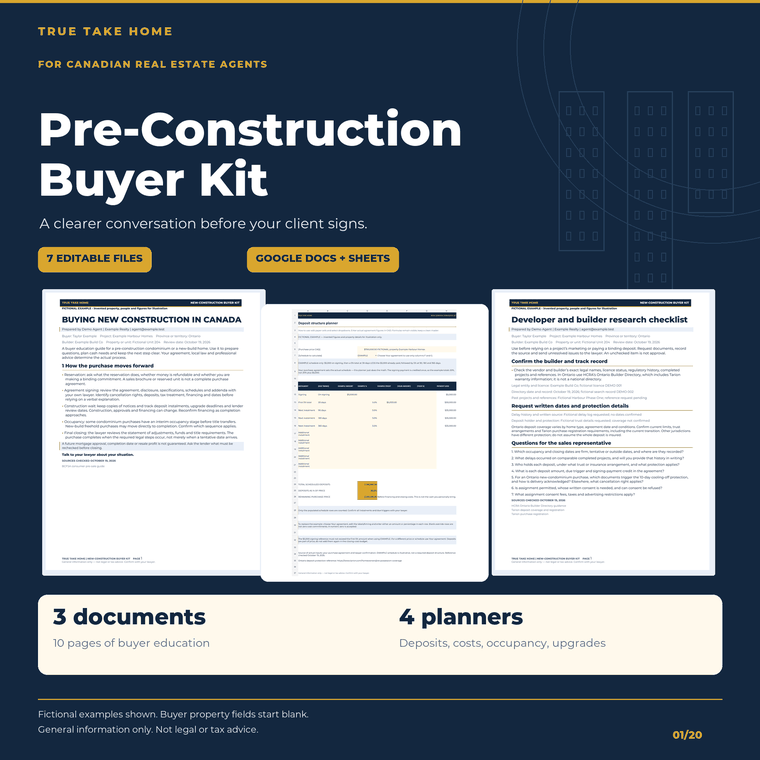
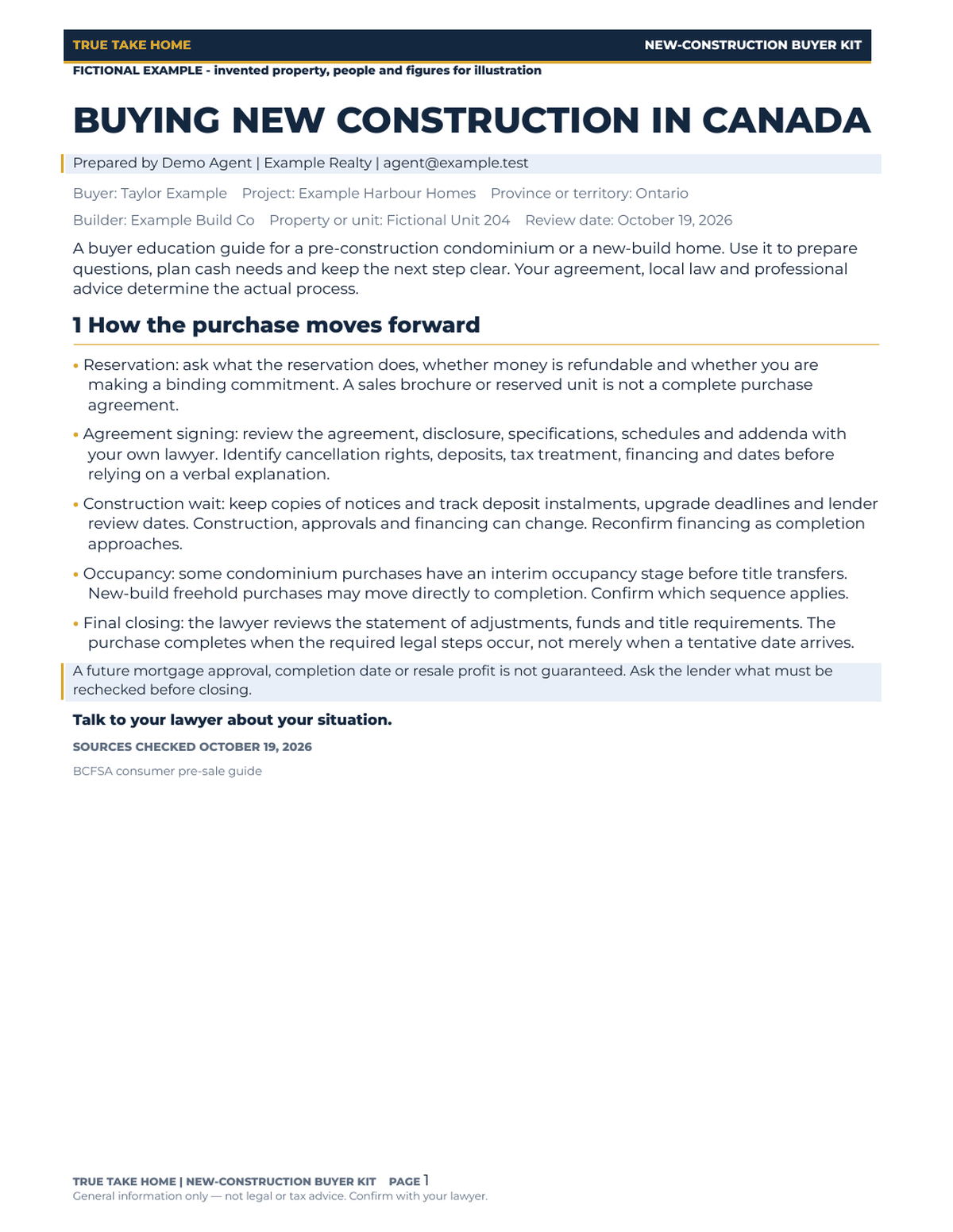
Prepare a clearer conversation about buying new in Canada. A six-page buyer guide, builder research checklist, assignment explainer and four planning workbooks help organise the process, questions and entered figures. Province-specific protections are labelled; have your lawyer confirm what applies to the actual purchase.
Digital download through Etsy. Prices are in CAD. See the listing for current offers, included files and order support.
At a glance
- Files
- 3 DOCX documents, 10 pages; 4 separate one-tab XLSX planners.
- Guide and checklist
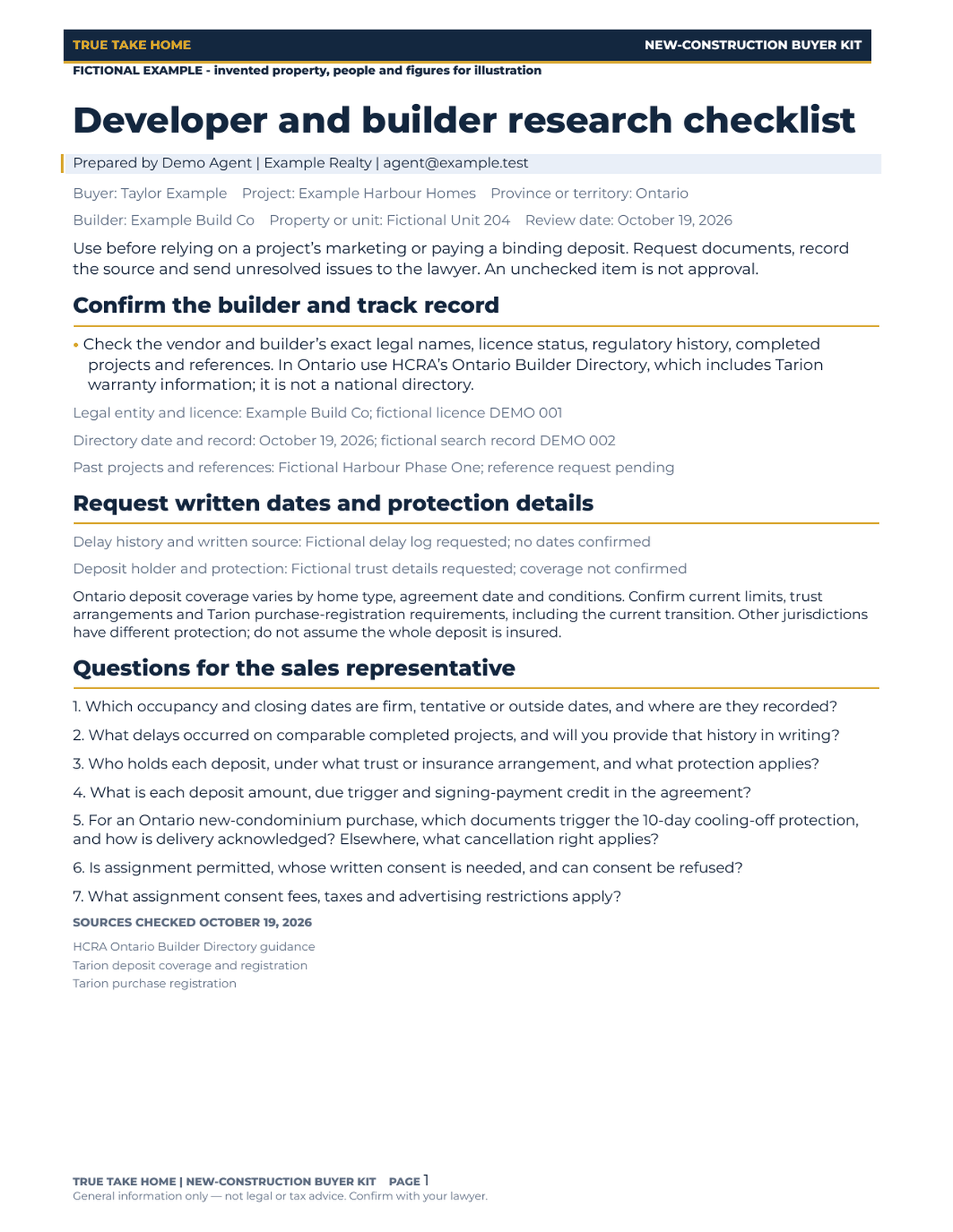
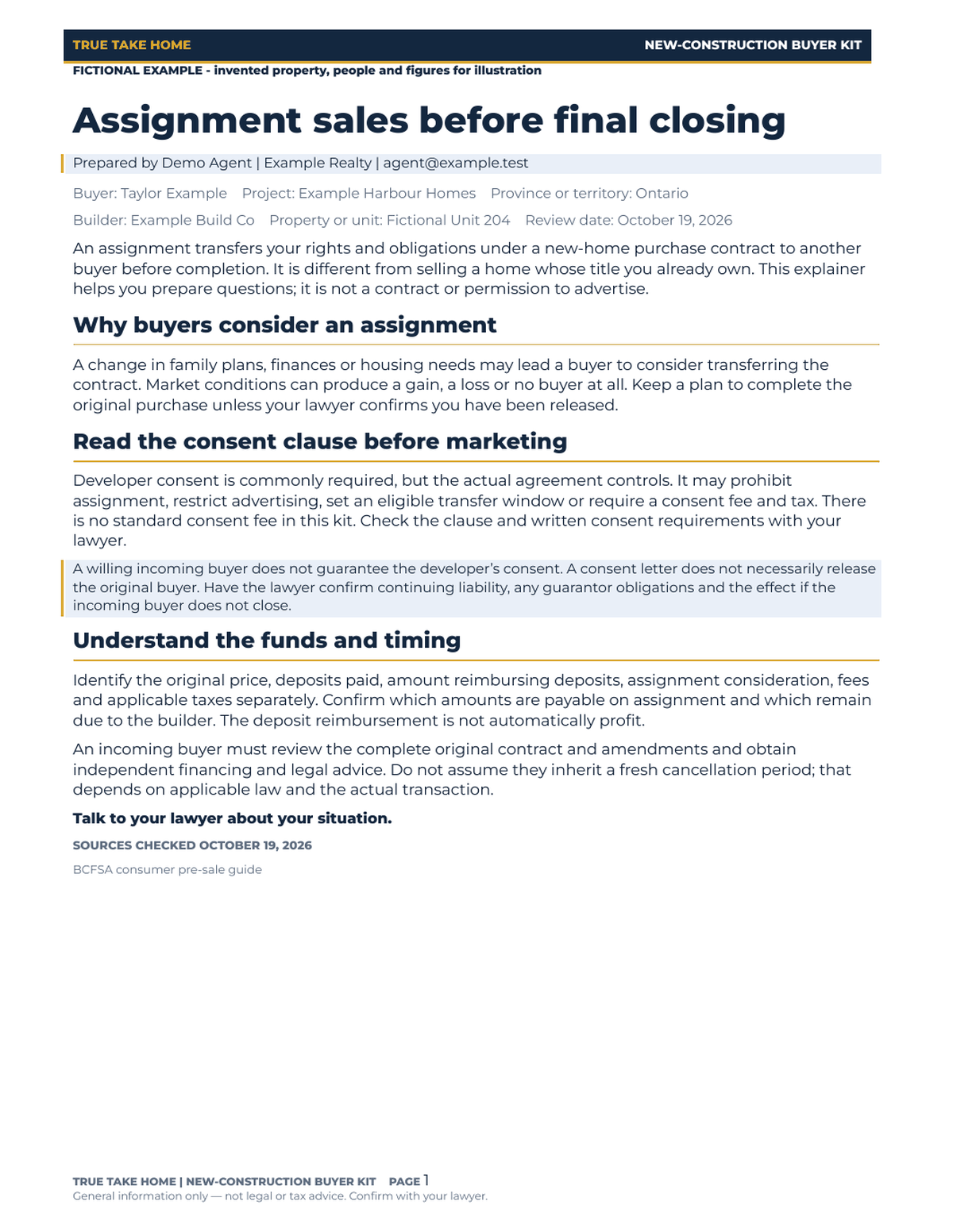
- Six-page buyer guide, two-page builder checklist, two-page assignment explainer.
- Planner capacity
- 10 deposit rows; 20 upgrade rows.
- Primary tested workflow
- Free Google Docs and Sheets. Desktop Office not independently tested.
- Buyer data
- Blank property fields; labelled editable EXAMPLE deposit schedule remains.
- Provincial scope
- Canadian framework; Ontario new-condominium, warranty and occupancy specifics are labelled.
- Tax and legal limits
- User-entered closing costs; no automatic eligibility decision or legal review.
SEE THE TOOL IN USE
Real files. Fictional example.
These previews show sample figures and records. Buyer files start without demo client data. Open a preview for a closer look.
01 / WHAT YOU GET
A useful tool.
A clear place to start.
- One ZIP contains three editable DOCX documents totalling 10 pages and four separate single-tab XLSX workbooks. Free Google Docs and Sheets are the primary tested workflow; a Google account is required.
- Six-page buyer guide: reservation, agreement, construction wait, interim occupancy where applicable, final closing, deposits, warranty, assignment and additional costs.
- Two-page builder checklist with 15 specific sales-representative questions. Track written answers, date references, deposit protection and unresolved issues. Ontario directory references point to HCRA.
- Two-page assignment explainer covering consent, fees, restrictions, timing and tax-advice questions. It is education, not a contract or an assurance that an assignment will be allowed.
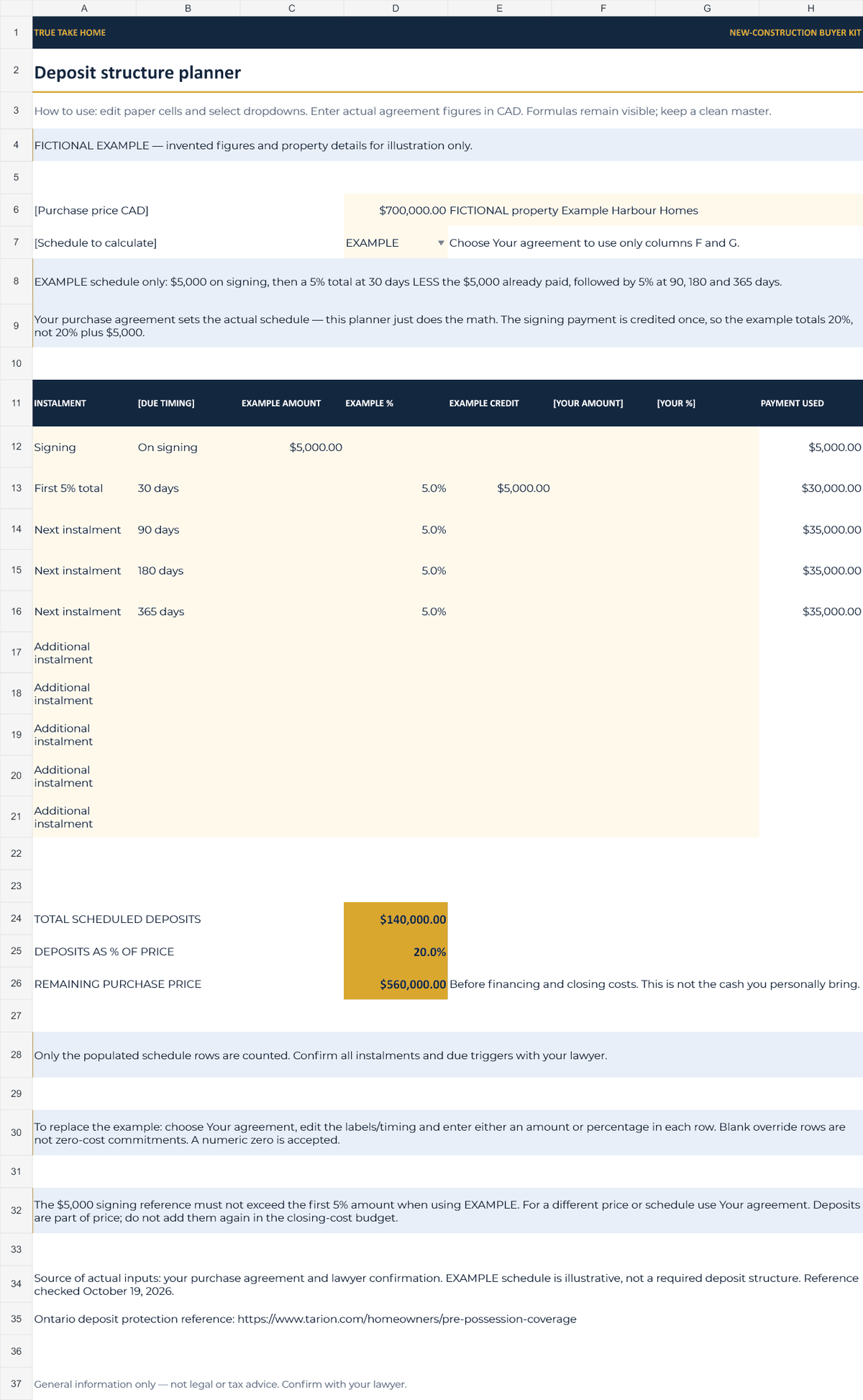
- Deposit planner: 10 schedule rows, EXAMPLE / Your agreement mode, amount-or-percentage inputs, total deposits, total percentage and remaining purchase-price balance. The signing payment is credited once in the reference schedule.
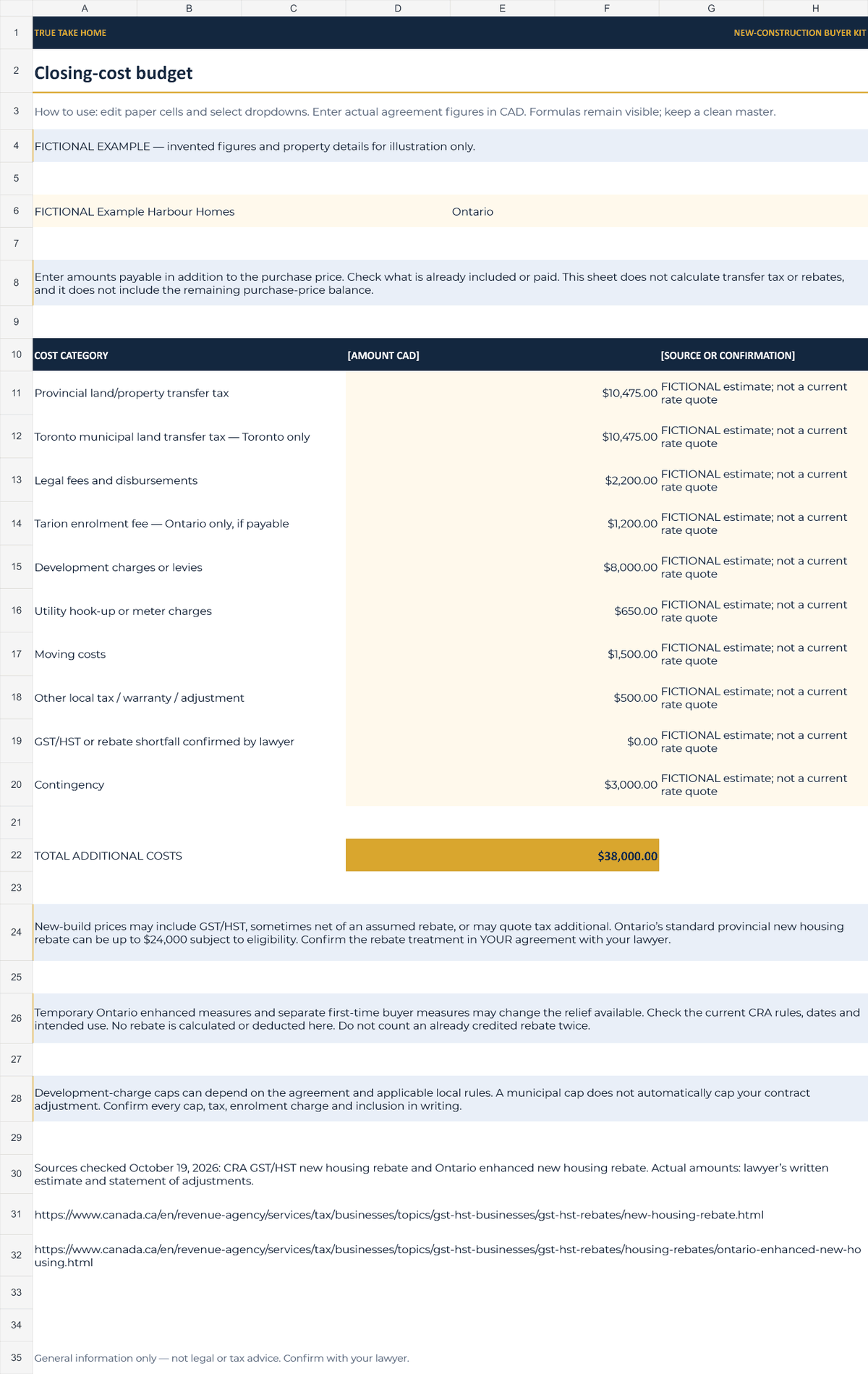
- Closing-cost budget: editable taxes, legal fees, levies, utilities, moving, other costs and contingency. You enter confirmed amounts; no land transfer tax or rebate eligibility is calculated.
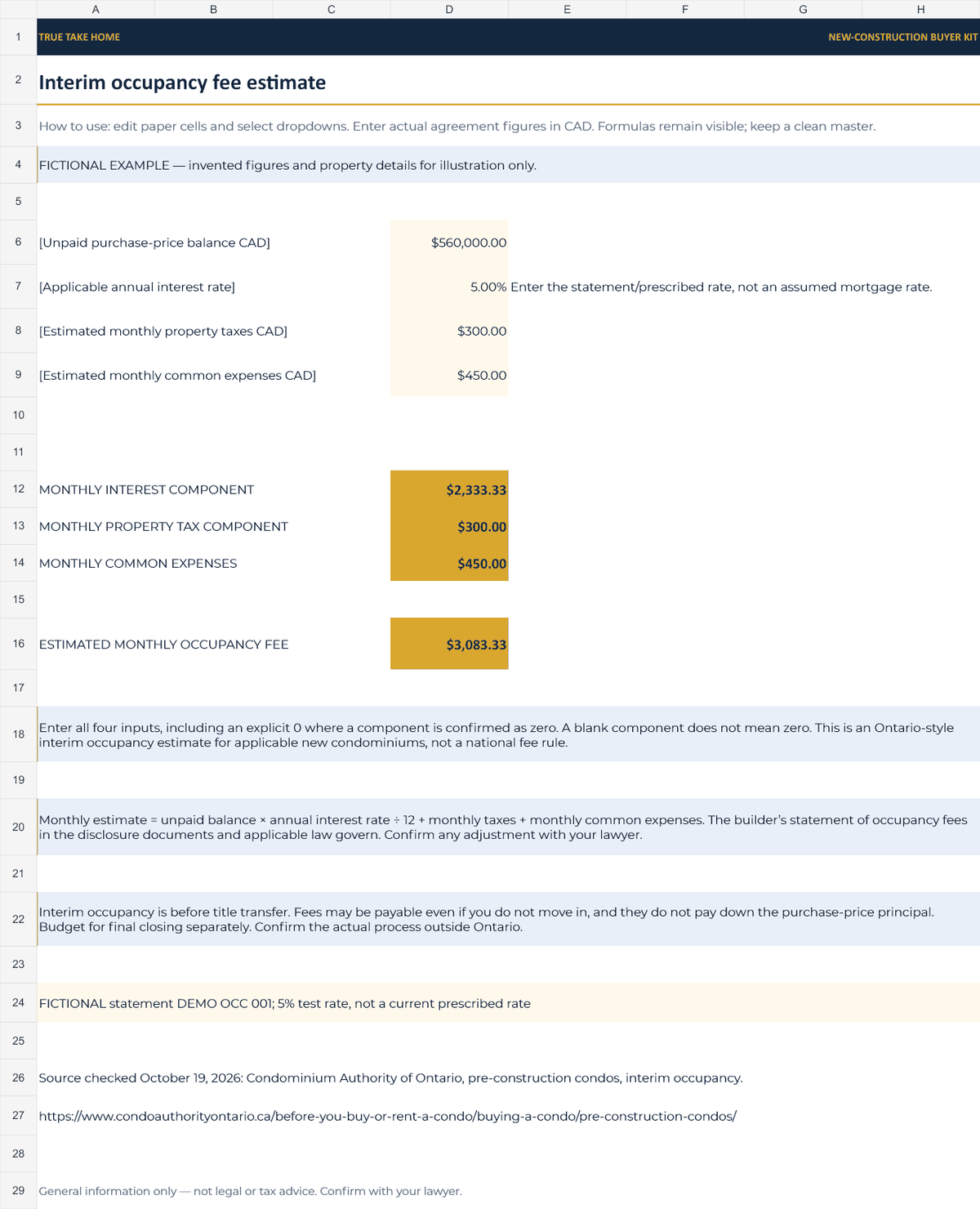
- Interim occupancy calculator: unpaid balance times entered annual rate divided by 12, plus monthly taxes and common expenses. Ontario-style estimate for applicable condo purchases; use the statement or prescribed rate.
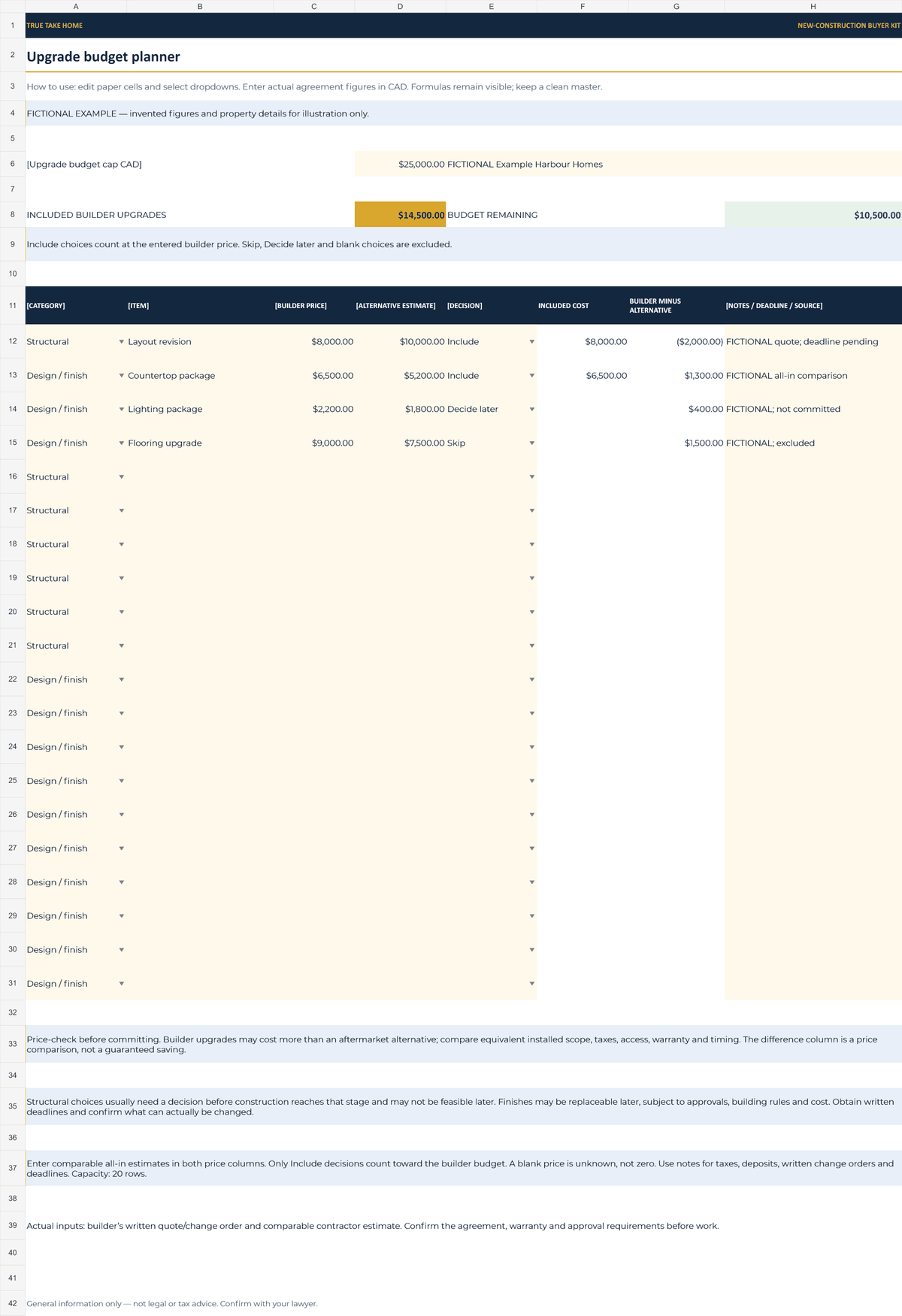
- Upgrade planner: 20 rows, builder prices, alternative estimates, Include / Skip / Decide later dropdowns, included costs and budget remaining. Missing included-row details prompt completion.
- Buyer property inputs start blank or bracketed. The deposit planner deliberately retains a clearly labelled editable EXAMPLE schedule with blank purchase-price and agreement override inputs. Separate fictional previews are not supplied in the buyer ZIP.
- Navy and gold styling with Montserrat. No macros, VBA, scripts or paid add-ons. Desktop Word and Excel were not independently tested; this is not an automatic reminder, legal review or current-rate service.
02 / IN YOUR WORKING WEEK
Put it to work.
- Download and extract the ZIP. Upload the DOCX and XLSX files to Drive, open in Google Docs or Sheets and keep an untouched master. The files are separate and do not automatically sync.
- Personalise a copy for the actual client, project, province and agreement. Have the lawyer confirm deadlines, protections, deposit arrangements, assignment terms and tax treatment.
- Use the guide and 15-question checklist in the consultation. Enter verified agreement figures in the four planners and check the deposit calculation mode before relying on a total.
- Record outstanding questions and who will confirm them. Recheck current rules and rates before sharing the final copy. General information only — not legal or tax advice. Confirm with your lawyer.
03 / BEFORE YOU BUY
Your questions, answered.
What exactly is in the download?
Seven files in one ZIP: a six-page buyer guide, two-page builder checklist and two-page assignment explainer in DOCX format, plus four single-tab XLSX workbooks for deposits, closing costs, interim occupancy and upgrades. The planners have 10 deposit rows and 20 upgrade rows.
Which software was tested?
Free Google Docs and Google Sheets. Upload the supplied DOCX and XLSX files to your own Drive and save native copies if preferred. Desktop Microsoft Word and Excel were not independently tested, so identical desktop behaviour is not promised.
Is it blank or filled with sample property data?
Property fields are blank or bracketed. The clearly labelled editable EXAMPLE deposit schedule is the reference exception, with a blank purchase-price input and blank agreement override columns. Fictional client and property files shown here are excluded from the buyer download.
Does the 10-day cooling-off period apply across Canada?
No. The discussion is limited to Ontario new condominiums, not all new homes or resale purchases. Other provinces differ. Have your lawyer confirm the applicable protection, documents, start date and deadline for the actual transaction.
Does the kit automatically calculate transfer tax or rebates?
No. The closing budget adds user-entered figures. GST/HST, rebate eligibility and actual closing adjustments need transaction-specific lawyer/accountant advice. Standard Ontario up-to-$24,000 rebate wording is not a universal 2026 maximum; newer measures have their own conditions.
Is the occupancy calculator a mortgage calculator?
No. It estimates a monthly interim occupancy fee for applicable Ontario condo purchases from entered unpaid balance, annual rate, monthly taxes and common expenses. The builder’s occupancy-fee statement governs. The fictional 5% test rate is not the current prescribed rate.
What does the deposit example calculate?
At a fictional $700,000 price, the reference schedule totals $140,000, or 20%, leaving $560,000 of purchase price before financing and closing costs. The $5,000 signing payment is credited against the first 5%, rather than being added on top of 20%. Your agreement sets the actual schedule.
Does this replace a lawyer or certify a builder?
No. It organises education, questions and arithmetic. It does not certify licensing, deposit coverage, warranty rights, assignment consent, legal compliance, tax eligibility or affordability. Official references are dated; verify current information and the actual agreement.
Can I personalise and reuse the kit?
Keep a clean master and personalise copies for your own client workflow, subject to the Etsy listing’s licence. Review page breaks and formulas after editing. There is no customisation service or automatic update of one file from another.
Purchase, download and support details
Purchase and download through Etsy. No physical item is shipped. Check the listing for current pricing, licence and setup instructions. Contact the shop through Etsy for order support and review the listing’s digital-download policies before purchasing.
Ready to take a closer look?
See the full listing, previews and download details on Etsy.
ALSO IN THE TOOLKIT
Tools that work alongside it.
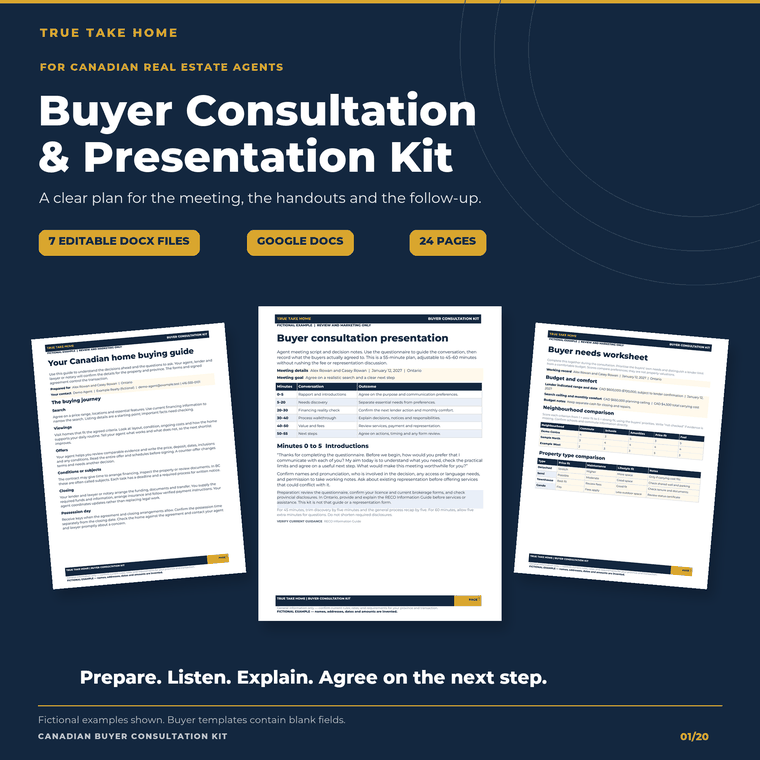
Canadian Buyer Consultation & Presentation Kit
Prepare the meeting, guide the conversation and follow up with a clear next step.
Explore this tool →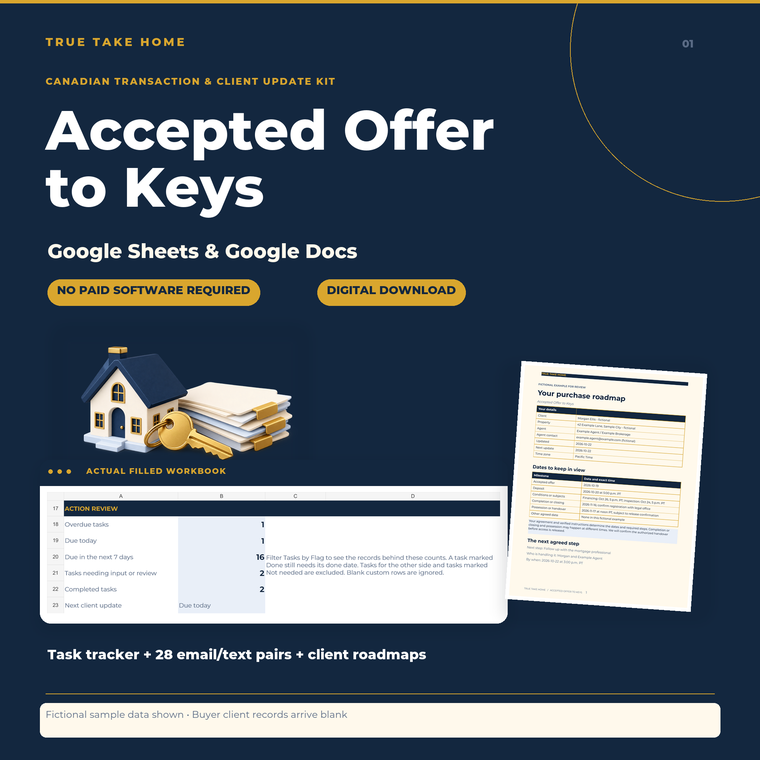
Accepted Offer to Keys Kit
Keep the transaction organized and the client informed.
Explore this tool →
Condo & Strata Explained
The client handout that answers every condo question.
Explore this tool →