CANADIAN REALTOR TOOLKIT / Google Docs email library + plain-text CRM copy
Canadian Long-Term Seller Nurture Email Campaign
Stay useful to homeowners who may sell six or twelve months from now. Choose a starting path for next spring, after mortgage renewal or still deciding, then follow a twelve-month map with clear pause and exit points. Editable Canadian email copy and workflow guidance, not a configured sending service.
Digital download through Etsy. Prices are in CAD. See the listing for current offers, included files and order support.
At a glance
- Download
- 36 files in one ZIP: six DOCX and 30 TXT.
- Checked document layout
- 57 pages across six Google Docs documents.
- Email choices
- 27 total: 12 core, nine alternative openings and six milestone replacements.
- Subjects and replies
- 54 subject lines and 16 response scripts.
- Starting routes
- General, next spring, after mortgage renewal or still deciding; choose one.
- Planning tools
- Twelve-month map, four homeowner worksheets and a consent/contact record.
- Primary workflow
- Free Google Docs and a text editor; own CRM optional and separately configured.
- Limits
- No automatic sending, one-click import, CRM subscription or legal compliance certification.
SEE THE TOOL IN USE
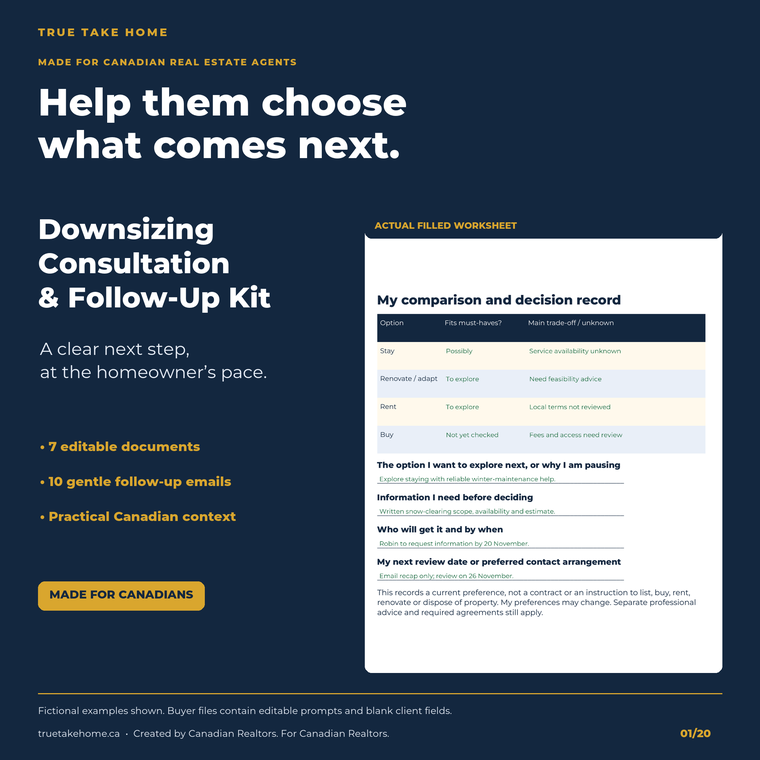
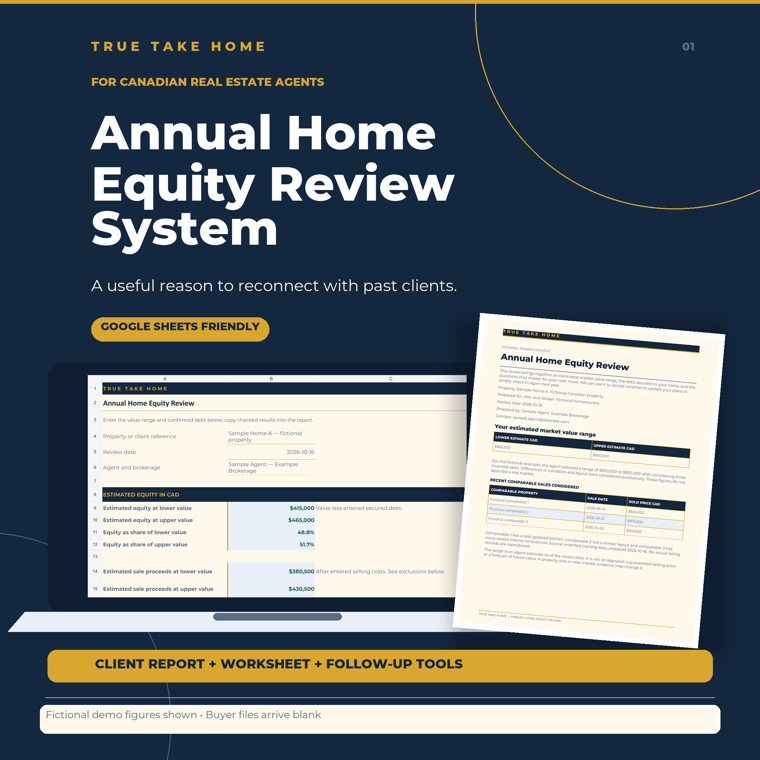
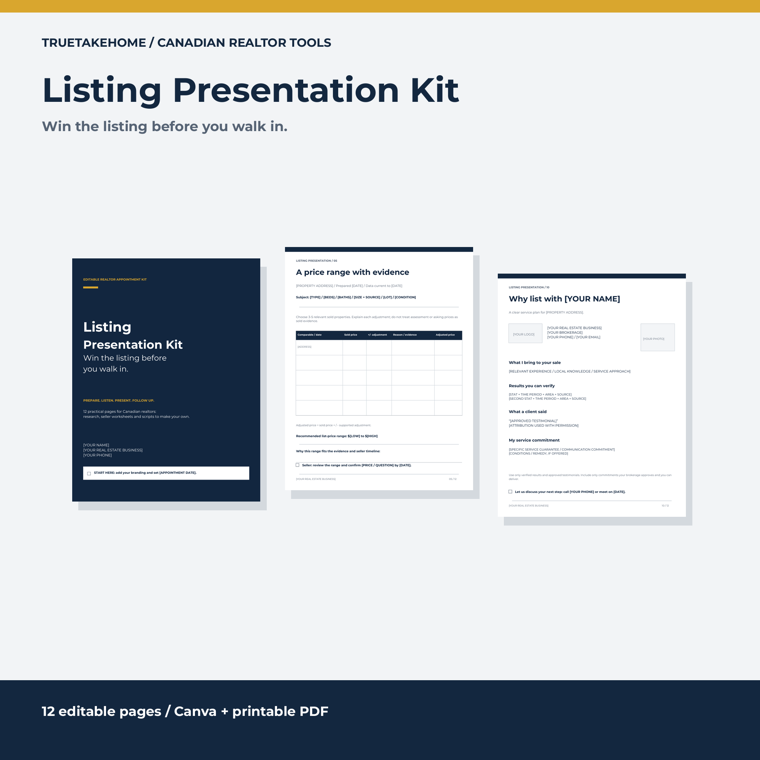
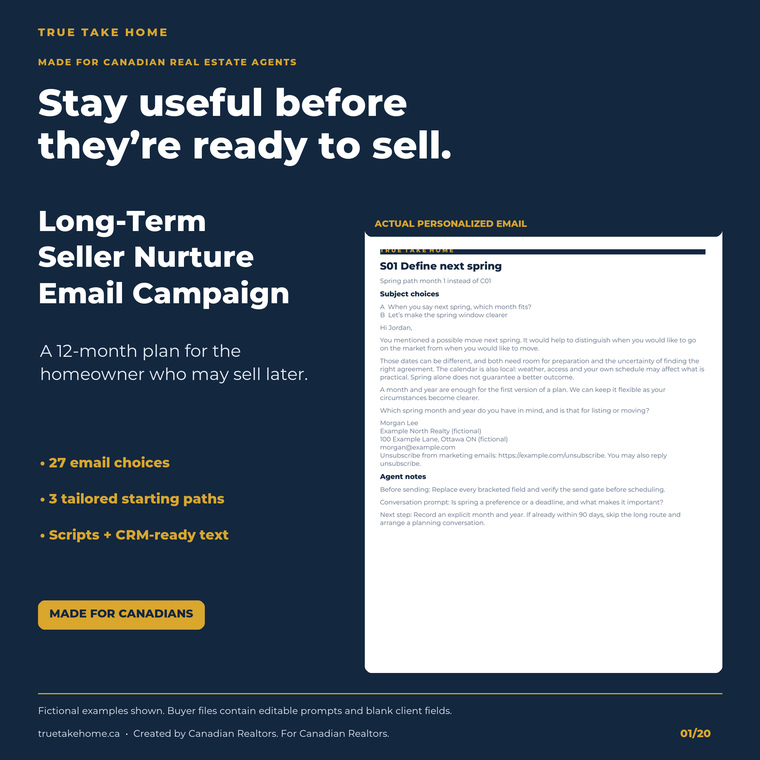
Real files. Fictional example.
These previews show sample figures and records. Buyer files start without demo client data. Open a preview for a closer look.
01 / WHAT YOU GET
A useful tool.
A clear place to start.
- One buyer ZIP contains six editable DOCX documents and 30 TXT files: 36 files in total. The six documents total 57 pages in the checked Google Docs layout. Blank homeowner fields and editable prompts remain; fictional marketing records are excluded.
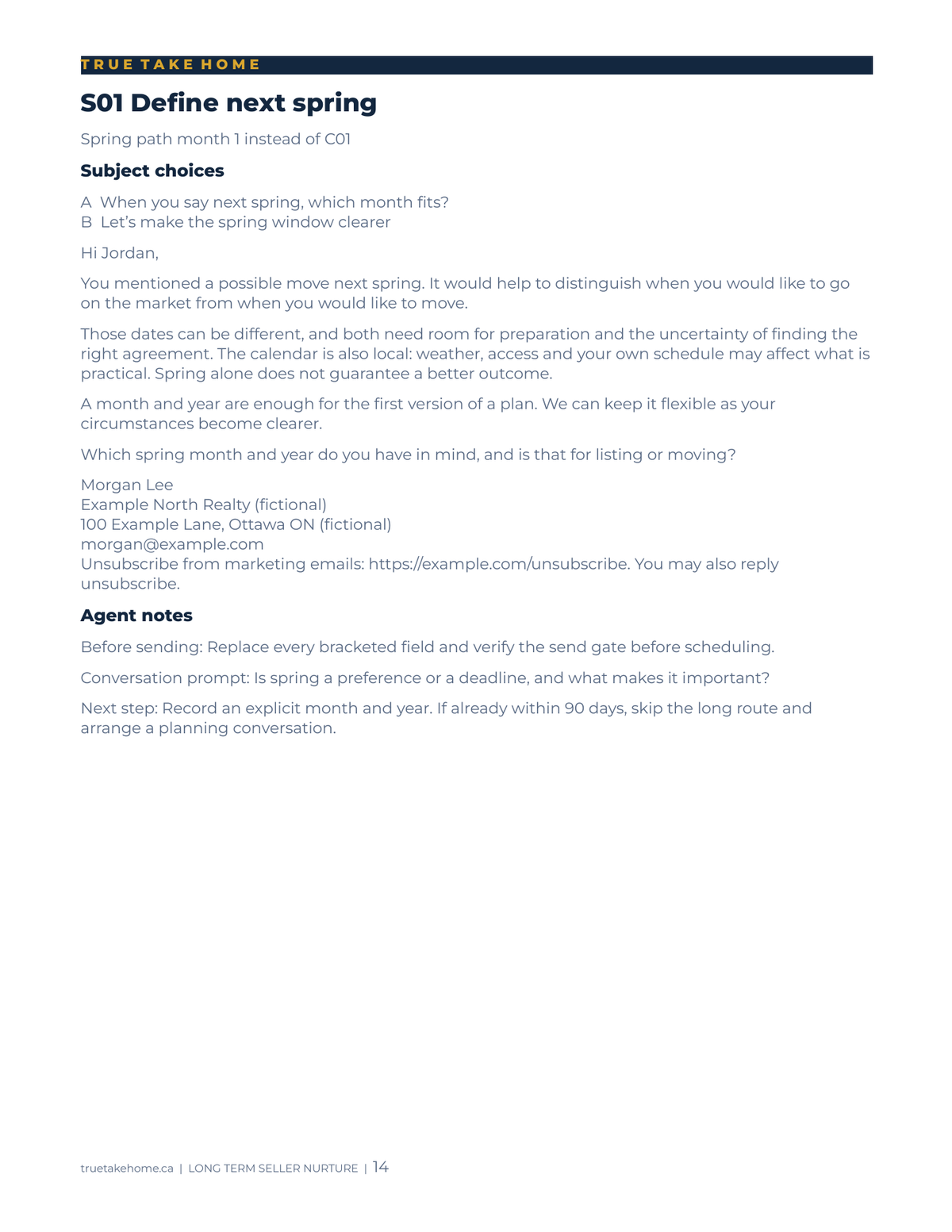
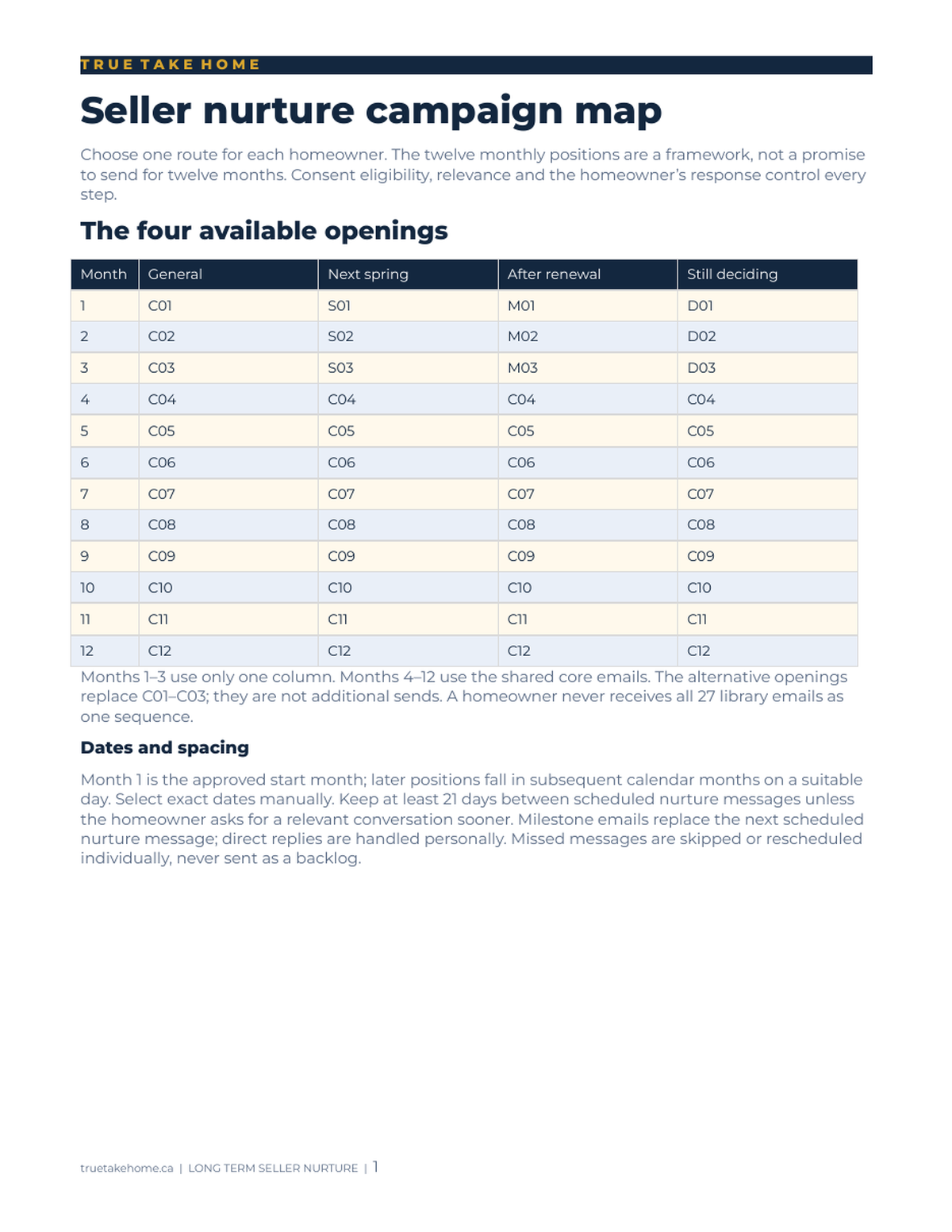
- 27 email choices: 12 core emails, nine alternative opening emails and six milestone alternatives. These are a library of choices, not one sequence of 27 sends.
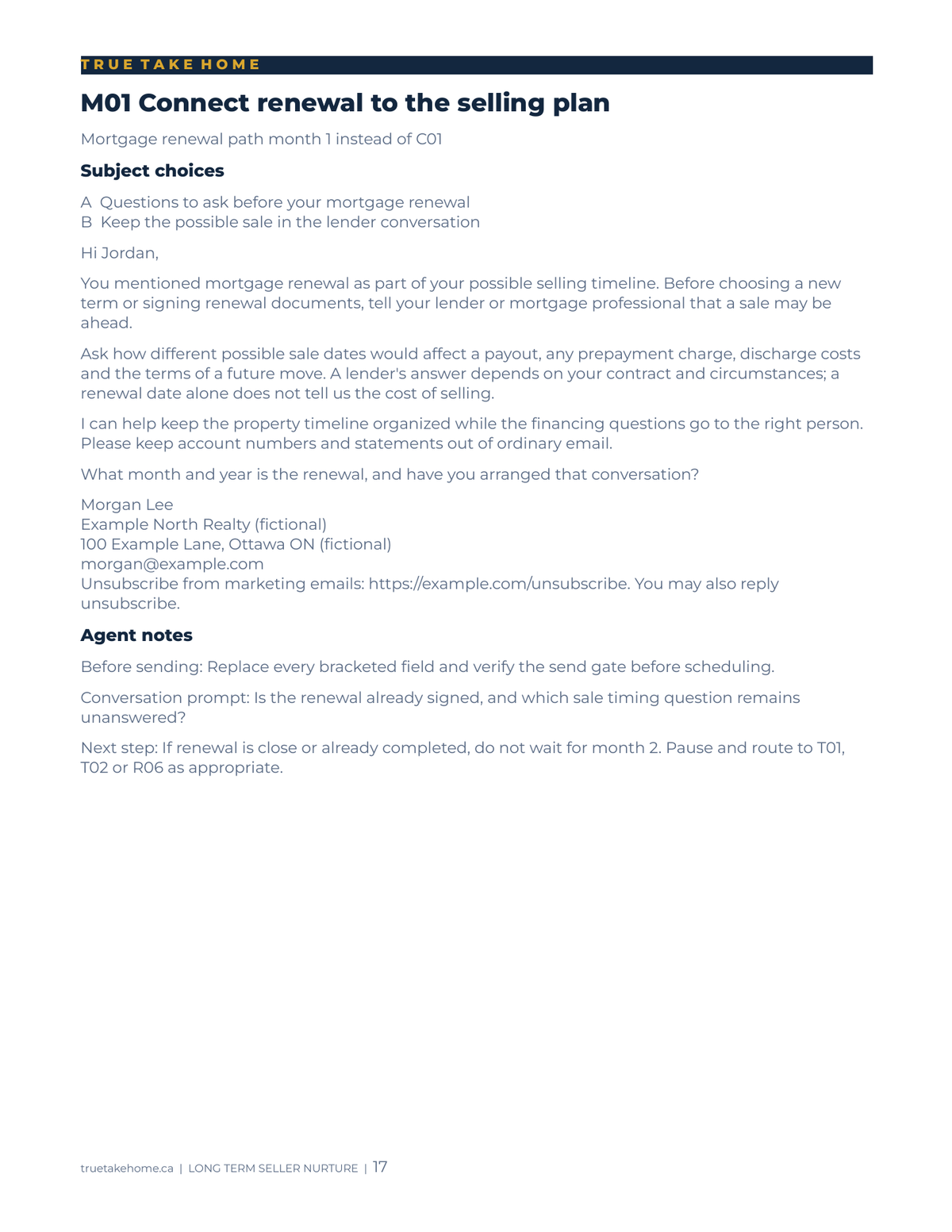
- Three specialist opening paths — next spring, after mortgage renewal and still deciding — plus a general path. Choose one opening route for a contact; alternative openings replace the corresponding core messages.
- A twelve-month campaign map with a default of one scheduled email per calendar month, subject to permission, relevance and replies. Milestone emails replace a scheduled message; they do not add extra contact.
- 54 subject lines, two per email, with conversation prompts and next-step notes. Sixteen response scripts help you handle common homeowner replies and choose whether to continue, pause or move to a consultation.
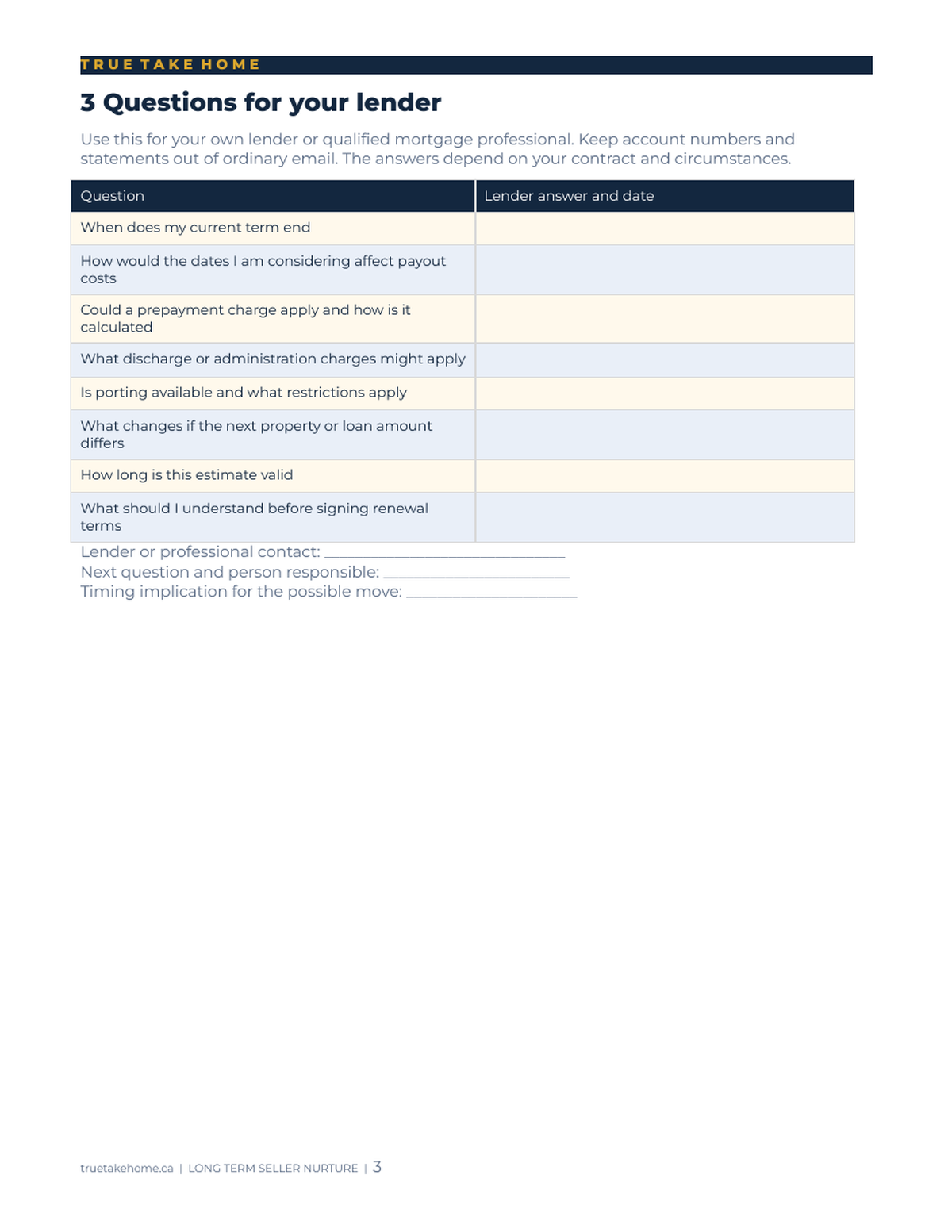
- Four blank homeowner planning worksheets cover goals, preparation, lender questions and consultation planning. Canadian mortgage-renewal, payout, discharge and porting questions stay with the lender or appropriate professional.
- A Consent and Contact Record provides fields for evidence, sender details, preferences and suppression checks. Setup guidance includes identification and unsubscribe placeholders. The record does not create consent or certify CASL compliance.
- 29 CRM-copy TXT files contain 27 individual emails, a subject-line list and a response-script file. START-HERE.txt brings the total to 30 TXT files. Copy the subject and body into separate fields and replace all bracketed instructions.
- Read and edit DOCX working copies in free Google Docs; TXT files open in a text editor. A free Google account is required for Docs. Your chosen CRM may have its own fees and features; no CRM account, one-click import or configured automation is included.
02 / IN YOUR WORKING WEEK
Put it to work.
- Extract the ZIP, keep a clean master and read START-HERE and the Setup Guide. Open DOCX working copies in Google Docs. Use your brokerage-approved process for contact records.
- Review the homeowner's permission, preferences and current plans before enrolment. Choose one general or specialist opening route. Hold the contact if the send basis cannot be verified.
- Choose one subject line, personalize the email and replace every placeholder. Copy the subject and body into separate fields in your chosen CRM or prepare an individual email. Brackets are instructions, not functioning merge tags.
- Test your actual sending setup, links and unsubscribe process before activation. Review replies and use the response playbook; pause, exit or move to a consultation when circumstances change. Do not send missed messages as a backlog.
03 / BEFORE YOU BUY
Your questions, answered.
What exactly is included?
Six DOCX documents: Setup Guide, Campaign Map, Email Library, Response Playbook, Consent and Contact Record, and Homeowner Planning Worksheets. The ZIP also has 29 CRM-copy TXT files and START-HERE.txt, making 36 files overall. The six documents total 57 pages in the checked Google Docs layout.
Does each homeowner receive all 27 emails?
No. The library has 12 core emails, nine alternative openings and six milestone replacements. Choose one opening route. The default is one scheduled message per calendar month while permission and relevance remain valid; replies or changes can pause or end the plan. Milestone messages replace scheduled messages.
What are the starting paths?
Next spring, after mortgage renewal and still deciding are the three specialist openings. A general opening is also included. Choose the route that matches what the homeowner actually told you rather than enrolling the same person in several paths.
Does it work in my CRM?
The TXT files let you copy and adapt the wording in your chosen tools. No specific CRM integration or one-click import was tested or supplied. Enter the subject and body separately, replace placeholders and test the actual service before scheduling. Your CRM may charge its own fees.
Do I need paid Word, Canva or a spreadsheet app?
No paid software is required to read or edit the kit. DOCX working copies were checked in free Google Docs, which requires a Google account; TXT files open in a text editor. Desktop Word was not independently certified. No spreadsheet, Canva template or PDF buyer edition is included.
Does it guarantee CASL compliance?
No. The kit supplies general setup guidance and record prompts. Review the actual contact basis, sender identification, unsubscribe handling, privacy and brokerage requirements. A filled record alone does not establish permission and the kit does not operate your suppression or sending system.
What happens when someone replies or their plans change?
Use the 16 response scripts and pause/exit guidance to choose a personal next step. A reply is a reason to review the schedule. Do not keep an old campaign running simply because the contact remains in a list.
Is it specific to one province?
No. It is an English-language Canadian framework with Canadian lender questions, local-market placeholders and consent guidance. Adapt it to the actual jurisdiction, client and brokerage. It is not French/bilingual content or a package of province-specific legal forms.
Are the sample homeowners included in my download?
No. Fictional names and example.com links in marketing previews are demonstrations only. Buyer files contain editable prompts and blank client fields. Replace every placeholder and create real, tested links before using the copy.
Can the kit send emails for me?
No. It provides copy and instructions. Configure, test and monitor your own service if you choose automation, or send suitable personalized messages manually. No email account, service subscription or guaranteed conversion outcome is included.
Purchase, download and support details
Purchase and download through Etsy. No physical item is shipped. Check the listing for current pricing, licence and setup instructions. Contact the shop through Etsy for order support and review the listing’s digital-download policies before purchasing.
Ready to take a closer look?
See the full listing, previews and download details on Etsy.
ALSO IN THE TOOLKIT