CANADIAN REALTOR TOOLKIT / Five Google Docs templates + one Google Sheets workbook
Canadian Seller Update & Price-Adjustment Kit
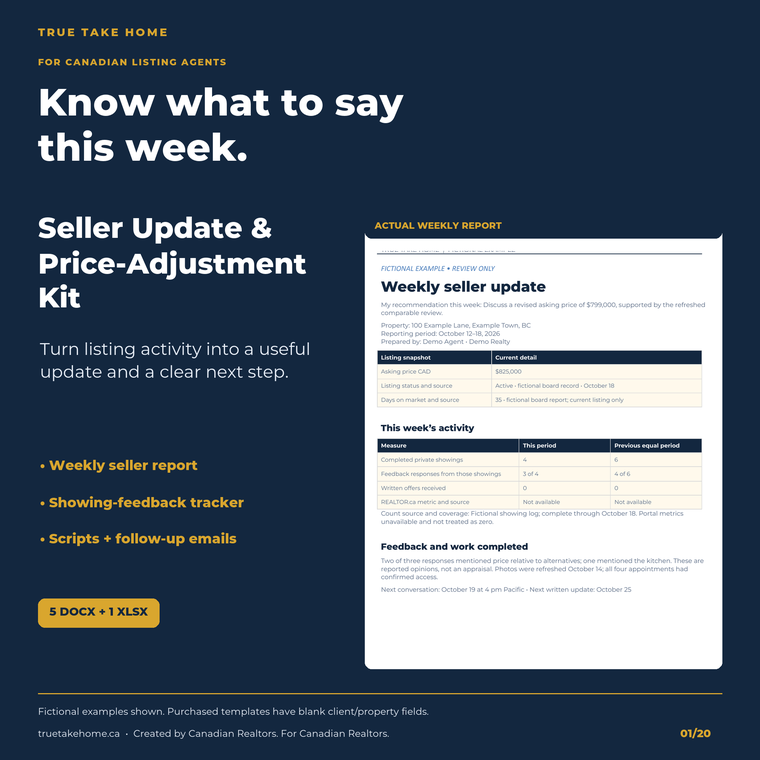
Turn listing activity into a useful weekly seller update. Log showings and feedback, review comparable evidence, prepare the seller report and use practical scripts for a quiet week or price discussion. Six editable files for Canadian listing agents, tested in free Google Docs and Sheets.
Digital download through Etsy. Prices are in CAD. See the listing for current offers, included files and order support.
At a glance
- Download
- One ZIP: five DOCX documents and one XLSX workbook.
- Primary tested workflow
- Free Google Docs and Sheets; Google account required. Desktop Word/Excel not independently tested.
- Workbook
- Four tabs: Summary, Showing Log, Comparable Log and Decision Log.
- Capacity
- 200 showing entries, 50 comparable entries and 50 decision entries.
- Documents
- Two-page seller report, conversation scripts, six emails, one-page decision record and agent guide.
- Stage
- Active listing, before an accepted transaction.
- Buyer fields
- Blank client/property records. Fictional demonstrations are separate.
- Limits
- Manual entry and transfer; no data import, automatic price advice or listing amendment.
SEE THE TOOL IN USE
Real files. Fictional example.
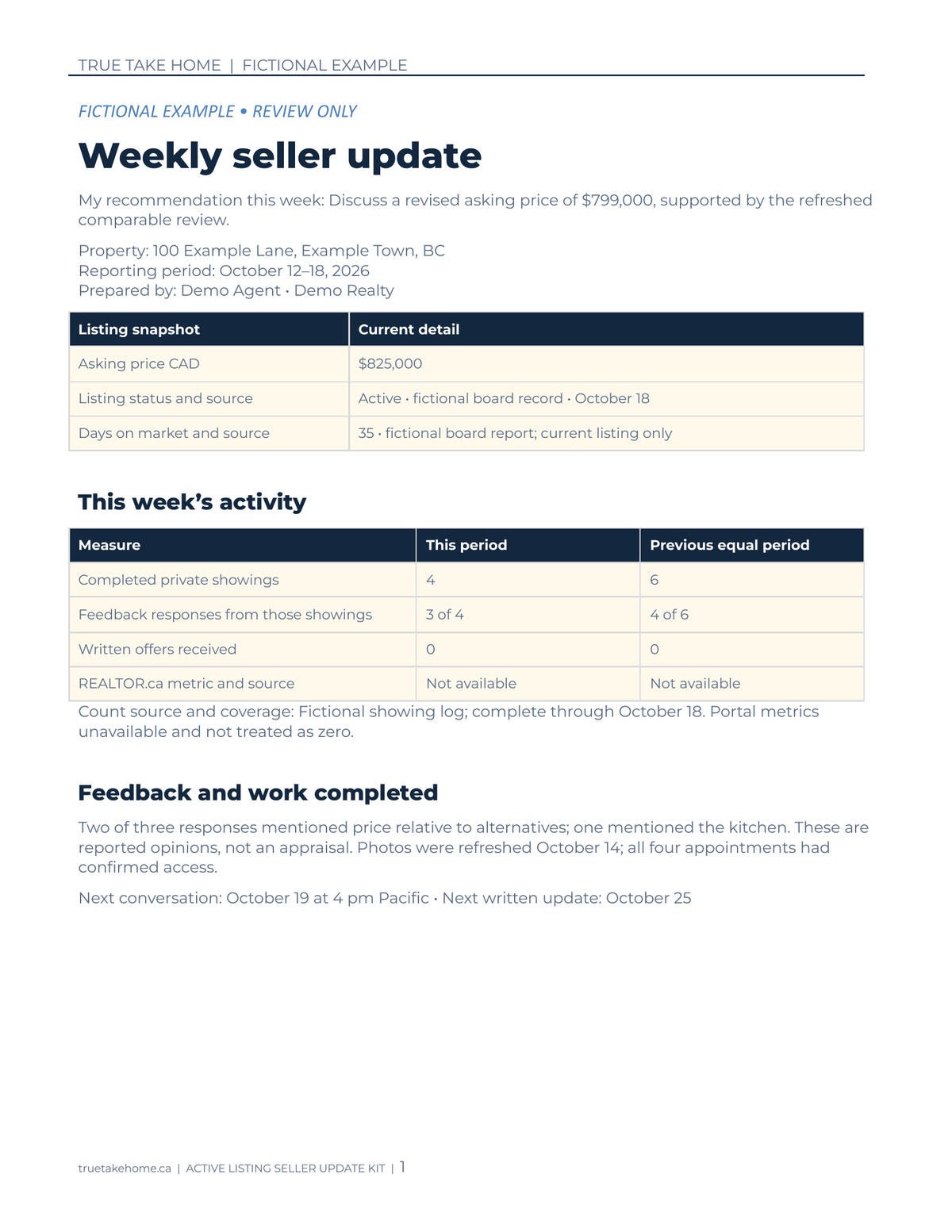
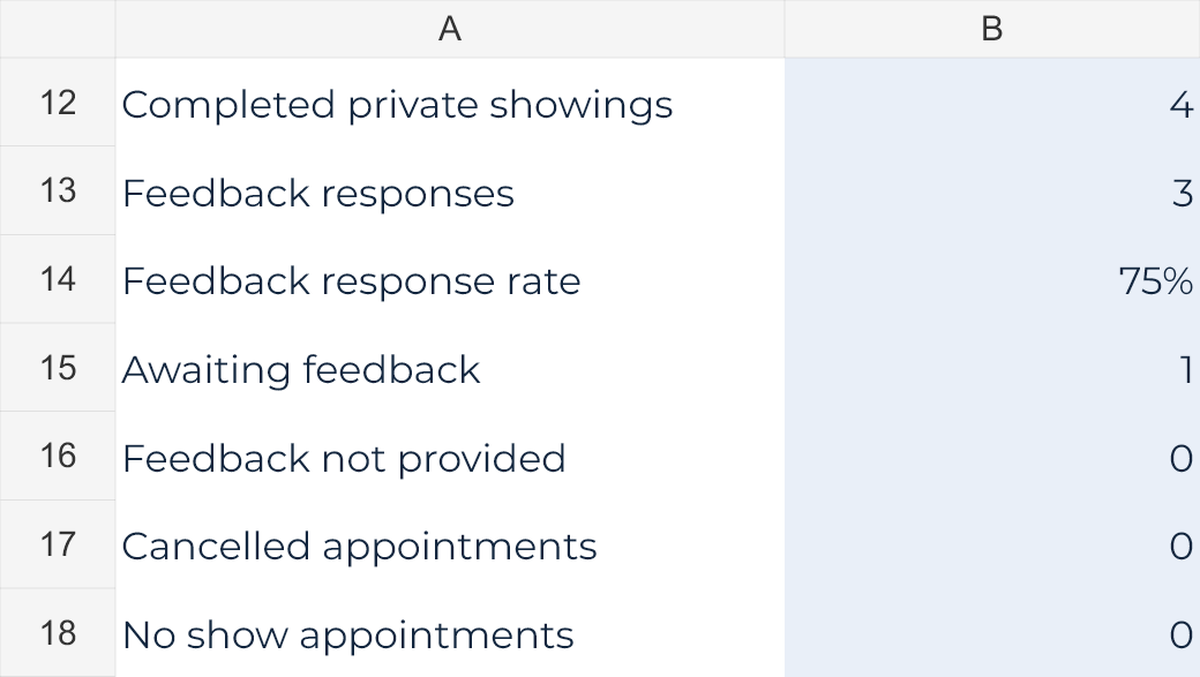
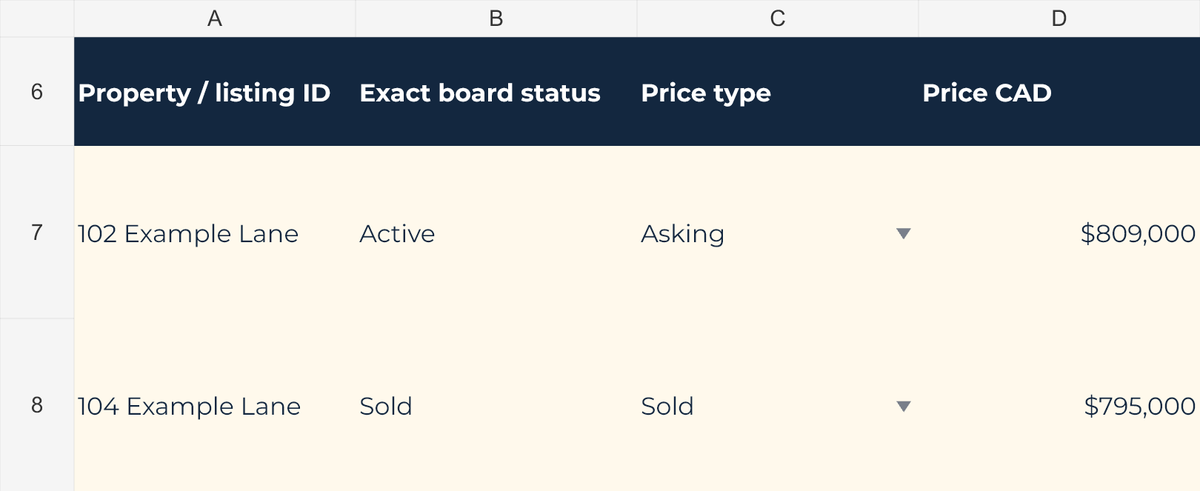
These previews show sample figures and records. Buyer files start without demo client data. Open a preview for a closer look.

01 / WHAT YOU GET
A useful tool.
A clear place to start.
- One buyer ZIP contains five editable DOCX documents and one XLSX workbook. Client and property fields are blank; instructions, prompts and workbook formulas remain. Filled fictional examples are not buyer downloads.
- Listing Activity Workbook: four tabs — Summary, Showing Log, Comparable Log and Decision Log — with room for 200 showing entries, 50 comparables and 50 decisions.
- Summary calculations show completed private showings, feedback received, response rate and primary feedback-theme counts for the selected reporting period. Reconcile the log and confirm its coverage before reporting a zero.
- Two-page Weekly Seller Report: listing snapshot, activity, feedback, competing properties, recommended action and the seller's chosen next step. Enter available REALTOR.ca metrics with their source and reporting period.
- Seller Conversation Scripts: practical wording for no showings, showings without offers, difficult feedback, price discussions and common objections. Replace prompts with verified evidence.
- Six Seller Follow-Up Emails cover the weekly update, maintaining the asking price, a proposed change with paperwork pending, a seller still considering, a completed change and feedback with an agreed action.
- One-page Price Review Decision Record captures evidence, alternatives, the seller's choice, next action, review date and required authorization. The workbook calculates the dollar and percentage difference between entered asking prices.
- Start Here Agent Guide explains setup, the weekly workflow, Canadian terminology and brokerage-review prompts. English-language framework with local adaptation; not a package of province-specific legal forms.
- Google Sheets friendly — no paid software required. Upload the supplied DOCX and XLSX files to Google Drive; a free Google account is needed. Desktop Word and Excel were not independently tested.
02 / IN YOUR WORKING WEEK
Put it to work.
- Extract the buyer ZIP, keep clean masters and upload working copies to Google Drive. Open the DOCX files in Google Docs and the XLSX in Google Sheets. Use your brokerage-approved storage and sharing process for actual client records.
- Set the property and reporting dates. Reconcile the Showing Log, confirm it is complete and date the comparable evidence. Keep cancelled appointments, completed showings and unavailable feedback distinct.
- Check the calculated summary, then manually transfer the verified figures into the Weekly Seller Report. Add sourced market evidence and your recommendation; the files do not automatically sync.
- Discuss the options, record the seller's decision and use the matching recap email. Complete any applicable brokerage authorization and listing-amendment process before describing a proposed change as completed. Set the next review date.
03 / BEFORE YOU BUY
Your questions, answered.
What files are included?
One ZIP contains the four-tab Listing Activity Workbook (XLSX), Weekly Seller Report, Seller Conversation Scripts, Seller Follow-Up Emails, Price Review Decision Record and Start Here Agent Guide (five DOCX files). The report is two pages, the decision record is one page and there are six follow-up emails.
Which software was tested?
Free Google Docs and Google Sheets are the primary tested workflow. Upload the supplied Office-format files to Drive and open working copies in Docs and Sheets. A Google account is required. Desktop Word and Excel were not independently tested, so identical desktop behaviour is not claimed.
Does the workbook fill the report or import listing statistics?
No. Enter and verify your own records. The kit does not import MLS or REALTOR.ca data and the documents do not sync with the workbook. Check the summary, then copy the relevant figures into the report manually.
What does the workbook calculate?
It summarises completed showings, received feedback, response rate and primary feedback themes for the reporting period. The Decision Log calculates the dollar and percentage difference between entered current and proposed asking prices. It does not value the property or choose a recommended price.
How many records can I enter?
The supplied workbook has 200 showing-entry rows, 50 comparable-entry rows and 50 decision-entry rows. Review the reporting dates and the completeness of the log before relying on the summary.
Can I use it when there have been no showings?
Yes. Use the quiet-week wording and report what was checked, what remains unknown and the next action. A zero is meaningful only after the showing record and period have been checked; unavailable portal metrics or missing feedback should not be described as zero.
Does the decision record authorize a price change?
No. It records the discussion and next step. The report, decision note and recap email do not amend the listing agreement. Follow the actual jurisdiction, brokerage instructions and required authorization or amendment process.
Is this specific to BC?
No. It is an English-language Canadian workflow. Use your local board's exact status terminology and adapt the forms, privacy and recordkeeping process to the actual jurisdiction and brokerage. It is not a French translation or a claim of province-specific legal compliance.
Are the properties and figures in the previews included?
No. The preview records are separate fictional demonstrations. The buyer ZIP has blank client and property fields with instructions, editable prompts and formulas retained. No guaranteed sale, sale date or price outcome is implied.
What if I have trouble opening a file?
Read the included Start Here Agent Guide and confirm the ZIP has been extracted. Contact the shop through Etsy with the filename and error if a problem remains. Leave client information out of messages and screenshots.
Purchase, download and support details
Purchase and download through Etsy. No physical item is shipped. Check the listing for current pricing, licence and setup instructions. Contact the shop through Etsy for order support and review the listing’s digital-download policies before purchasing.
Ready to take a closer look?
See the full listing, previews and download details on Etsy.
ALSO IN THE TOOLKIT
Tools that work alongside it.
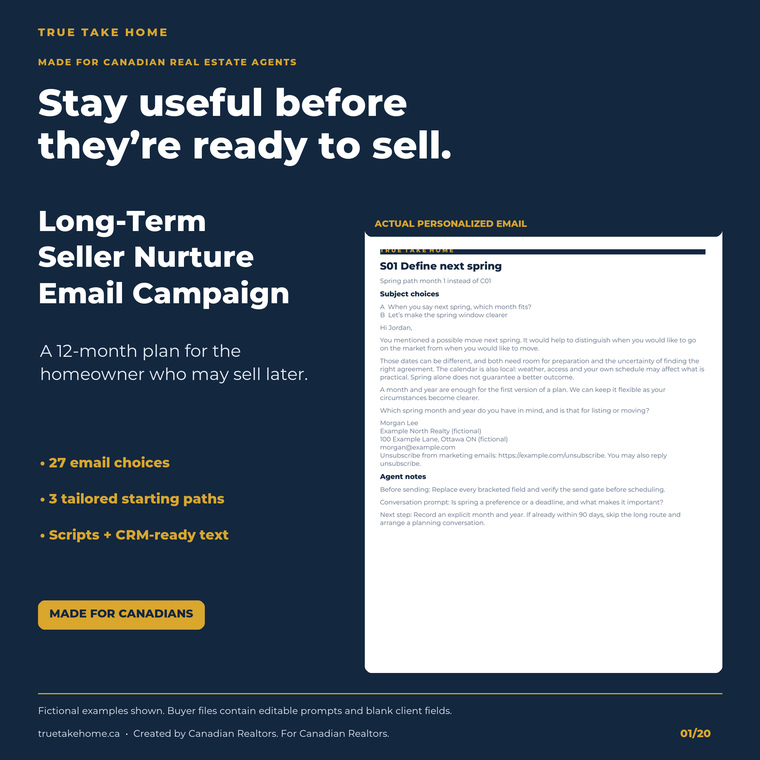
Canadian Long-Term Seller Nurture Email Campaign
Stay useful to homeowners before they are ready to sell.
Explore this tool →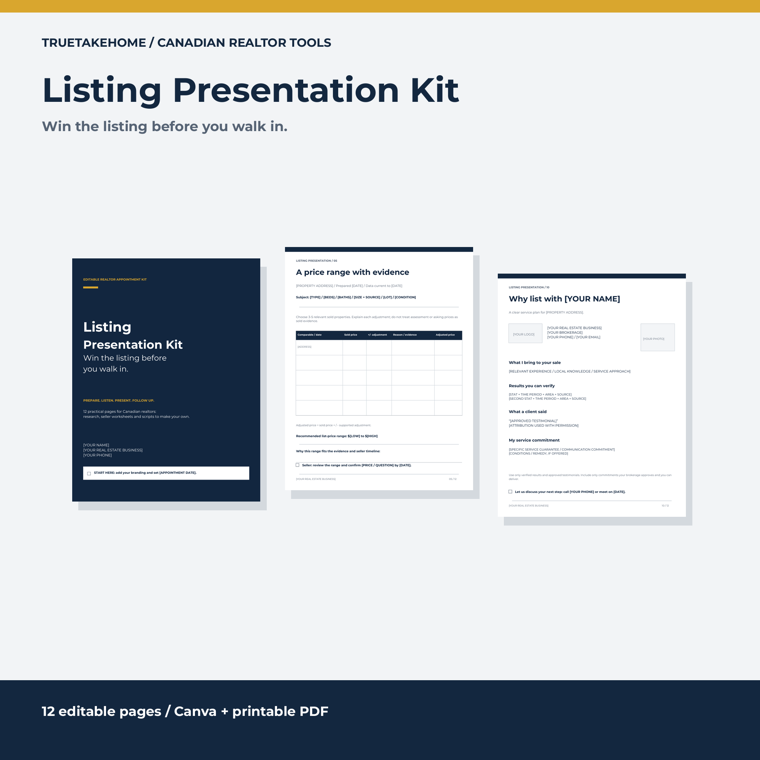
Listing Presentation Kit
Win the listing before you walk in.
Explore this tool →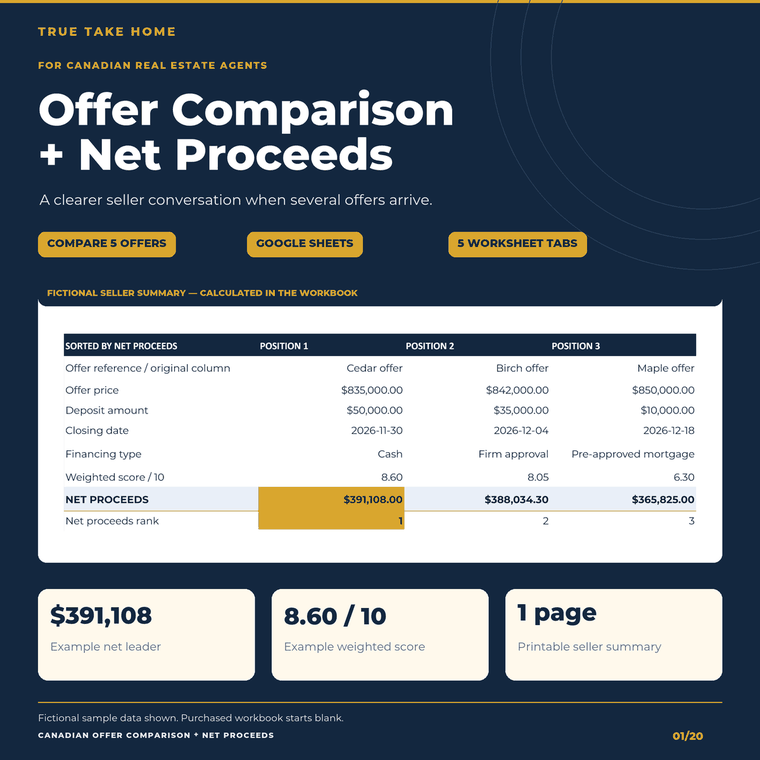
Canadian Multiple-Offer Comparison + Net Proceeds
Compare the seller net, terms and timing of up to five offers.
Explore this tool →